Ask Us Everything About Containers & Kubernetes
October 2 | Register Now Got questions about managing data on Kubernetes? Get answers. This month we're diving into containers and Kubernetes–key technologies for IT priorities like Cloud-native applications, AI data pipelines, and modern VMs. But as more databases and other critical workloads move onto Kubernetes, how do you deliver availability, performance, and data protection, without becoming Kubernetes experts overnight? See how Portworx® by Everpure helps you bring enterprise-grade data services to Kubernetes. You'll get an overview of how Portworx enables you to: Deliver Kubernetes-native persistent storage across on-premises, cloud, hybrid, and edge environments Meet availability and recovery requirements with container-granular backup, disaster recovery, and high availability Improve storage efficiency with automated provisioning, capacity management, and dynamic scaling Give application teams self-service data services while maintaining control, security, and visibility Bring your questions for our experts, who are ready to discuss Kubernetes storage architecture, stateful workload migration, data protection strategies, and how to support container platforms with confidence. Register Now!41Views0likes0Comments
Interested in deploying Kubernetes in FlashArray with Portworx? Join our live labs 7/14 and 7/15.
Curious how FlashArray fits into Kubernetes? Join the live upcoming Hands-on labs for a practical, storage-admin-first look at how Portworx Enterprise extends your existing FlashArray investment into modern application environments. We’ll cover how to provision persistent storage for stateful workloads, build flexible storage pools with Cloud Drives and StorageV2, apply storage policies and QoS across teams, and automate volume growth with Portworx Autopilot. If you’re just starting with Kubernetes or already supporting multiple clusters, this session is a great way to connect your storage expertise to what’s next. Save Your Spot for the Live Labs: Americas July 14th at 9:00 AM PT – LINK EMEA July 15th at 10:00 AM CET – LINK88Views1like0Comments
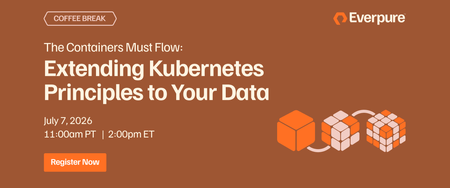
The Containers Must Flow: Extending Kubernetes Principles to Your Data
July 7 | Register Now! Kubernetes (K8s) sits at the center of the known universe, steering the massive shift from legacy systems to next-generation applications and modern virtualization. In this vast desert of infrastructure, one truth remains absolute: they who control the data layer control the universe. For July 2026, your Kwisatz Haderach of hosts, Andrew Miller, invites mentat James McShane to explore these tectonic shifts—and why Portworx® is even more vital today than 5+ years ago when acquired by Everpure, formerly Pure Storage®, to be the ultimate k8s data layer. Here’s what we'll traverse on our journey: The path of the mentat James: From large-scale virtualization to massive K8s clusters, and even piloting K8s on autonomous drones (the ultimate hunter-seekers). The weirding way of modern tech: the explosion of new K8s developments with a focus on KubeVirt and how it’s reshaping modern virtualization trends. The litany against data loss: Core storage needs in K8s environments, the foundational Portworx design principles built to survive them, and why they matter when the sandworms of downtime strike. The voice of Portworx: New capabilities designed to conquer KubeVirt/VMware migrations, establish unified control planes, and shift your focus from rigid mechanics to pure intent (Imperative vs. Declarative)--dare we say, bending the infrastructure to your will. Register Now!162Views0likes0CommentsPortworx Backup 2.11.0 release is now Generally Available!
We are excited to announce that Portworx Backup 2.11.0 is now Generally Available! This release focuses on super-charging restore capabilities within PX-Backup. Now you can backup & restore just a K8s namespace, just a K8s resource, just a KubeVirt VM, and just a file or directory for a VM! Here are the key updates and features introduced in this release: Structured Kubernetes Resource Layout for Backups: Improves scalability and resiliency for large backups and enables partial/selective restores. Backup resources are now organized using a structured layout to improve scalability and reliability in large Kubernetes and VM environments. This reduces memory consumption during backup operations, improves resilience during network interruptions, and lays the groundwork for partial backups and selective resource restores. Granular Namespace and Resource Restores: Restore specific namespaces or individual resources with flexible mapping across clusters, StorageClasses, and Rancher projects. You can now selectively restore individual namespaces or even specific resources within a namespace backup, instead of performing a full restore every time. This gives teams much finer control over recovery workflows across same-cluster or cross-cluster restores. File and Folder Restore for Virtual Machines: Recover individual files/folders back to the same VM without a full VM restore. Portworx Backup 2.11.0 now supports restoring specific files or folders directly back to the same VM, enabling granular VM recovery without requiring a full VM restore. This rolls out starting with support for popular Linux VMs. Editable Label Selectors and Resource Filters: Adjust which namespaces, VMs, and resources are protected by existing schedules without recreating them. Namespace and VM label selectors can now be edited on existing as well as new backup schedules through the UI, CLI, API, or Ansible, making it much easier to adjust backup scope without recreating schedules. VRO Policy Configuration from the Web Console: Volume Resource-Only (VRO) policy configuration was introduced as a programmatic capability in v2.9.0 and is now completely integrated into our UI experience. VRO policy configuration is now available directly from the Portworx Backup web console, making it easier to back up only Kubernetes volume resource specifications (such as PVCs and PVs) without including the underlying volume data. These aren't the only changes in 2.11.0; this release includes many improvements including to VM restore workflows, resource filters for existing schedules, Cloud Settings UI experience, and image pull behavior in air-gapped environments. Please look at the resources below to learn more about everything packed into this exciting release: Release Notes: Read up on all the specific fixes, known issues, and deliverables included in this release. Documentation: Access the full technical documentation for granular setup, upgrade, and operation details. Install Prerequisites: https://docs.portworx.com/portworx-backup-on-prem/install/prerequisites/ Upgrade Guides: https://docs.portworx.com/portworx-backup-on-prem/install/upgrade/358Views0likes0Comments
SQL Server on Kubernetes - Faster, Safer Database Operations
April 16 | Register Now! Running SQL Server in containers can speed up provisioning and customization. But standalone containers lack the high availability and data services that enterprises require, making Kubernetes essential for resilient environments. Portworx® by Everpure extends Kubernetes with enterprise-grade data services—such as volume cloning—to reliably run stateful workloads like SQL Server and simplify database lifecycle management. In this session, we’ll demonstrate how to modernize SQL Server while improving resilience, flexibility, and operational efficiency. Key Takeaways How to deploy and operate SQL Server on Kubernetes with built‑in resilience and scalability How to migrate SQL Server from Windows-based environments and explore KubeVirt as an additional deployment option How Portworx data services simplify SQL Server database management, testing, and recovery Register Now294Views0likes0CommentsPortworx Enterprise 3.5.0 release is now Generally Available!
We are excited to announce that Portworx Enterprise 3.5.0 is now Generally Available! Portworx Enterprise 3.5.0 introduces several new features and enhancements that advances Portworx’s leadership in Modern Virtualization. Documentation and Resources For more information on Portworx Enterprise 3.5.0, including installation and upgrade guidance, refer to the following resources: Full Documentation Portal: Portworx Enterprise Documentation Release Notes: Portworx Enterprise 3.5.0 Release Notes System Requirements: Prerequisites Installation Guide: Install Portworx Enterprise Upgrade Instructions: Upgrade Portworx Enterprise RHEL Kernels Support Policy106Views0likes0CommentsDiscover Portworx Monthly Virtual Hands-On Labs
If you're looking to augment your skillset or are curious about how to use Portworx - we have good news. Click the link below to view the latest Portworx virtual hands-on labs. Join monthly for practical Kubernetes insights and learn how Portworx can help you protect, manage and unify Kubernetes storage with live instructors. During this workshop, you will: Manage VM & Container Data on OpenShift. Demonstrate data availability and resilience after a node failure. Perform a live migration of a MongoDB virtual machine. Click here to register: https://portworx.com/hands-on-labs/ jmcshane112Views0likes0CommentsStork 25.4.1 is now GA
From the PX PM Team: A new Stork hotfix version (25.4.1) is now available. We recommend using this build for all new deployments or DR configurations. Existing DR customers or setups can continue with their current version and do not need to upgrade to this release. Release notes: Portworx Stork Release Notes - Portworx Documentation117Views0likes0CommentsPortworx backup 2.9.1 is now GA
Portworx Backup 2.9.1 is now GA. This release has support for configuring limits for NFS backups with the Portworx, CSI, and KDMP drivers. Which helps users to define the maximum number of concurrent delete jobs, helping to prevent quota exhaustion and providing greater control over backup deletion management. Release-notes99Views0likes0CommentsAccelerate Breakout Replay: Unifying VMs and Containers: Adopting Modern Virtualization with Portworx® and Red Hat OpenShift
See how Portworx® + Red Hat ease the move from VMware to modern platforms, using KubeVirt and container-native data strategies. Speakers: Eric Shanks George Jones, RedHat https://www.purestorage.com/video/webinars/adopting-modern-virtualization-with-portworx-red-hat-openshift/6375805963112.html118Views0likes0Comments