FlashCrew London & Glasgow May/June 2025 !!!! Register NOW...
I'd like to invite you to our upcoming FlashCrew Customer User Group in London on May 15th, from midday. Throughout May, we'll be taking our FlashCrew User Group on the road to share ideas, best practices and network on all things Pure over some drinks and food. Plus, as a thank you for your continued support and attendance we will of course have the latest FlashCrew branded gifts for you to take with you! If you can make it, please register at this link below. London 10-11 Carlton House Terrace Thursday 15th May: REGISTER HERE for FLASHCREW LONDON Glasgow Radisson Blu Hotel Thursday 5th June: REGISTER HERE for FLASHCREW GLASGOW These are user group meetings, targeted at a technical audience across Pure's existing customers. Not only will you hear the latest news on the Pure Enterprise Data Cloud, but will also get to network with other like-minded users and exchange ideas and experiences. Agenda: 12:00 - 12:50 Arrival, Lunch and Welcome 13:00 - 14:00 Pure Platform: Features and Roadmap: with demo 14:00 - 14:15 Break 14:15 - 14:45 SQL Databases and Pure 14:45 - 15:15 Voice of the Customer 15:15 - 15:30 Break 15:30 - 16:15 Portworx and the Enterprise Data Cloud 16:15 - 16:45 Modern Virtualisation 16:45 - 17:00 Open Floor Q&A, Raffle, Wrap Up 17:00 - 19:00 Drinks and Networking211Views5likes0CommentsConfiguring Apache Spark on FlashBlade, Part 3: Tuning for True Parallelism
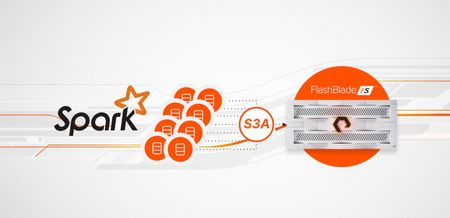
This post will explore how to diagnose and resolve performance bottlenecks that are not related to storage I/O, ensuring you can take full advantage of the high-performance, disaggregated architecture of FlashBlade. We'll use a real-world scenario to illustrate how specific tuning can unlock massive parallelism.277Views4likes0CommentsStop Prompting, Start Context Engineering
This blog post argues that Context Engineering is the critical new discipline for building autonomous, goal-driven AI agents. Since Large Language Models (LLMs) are stateless and forget information outside their immediate context window, Context Engineering focuses on assembling and managing the necessary information—such as session history, long-term memory (embeddings, RAG indexes), and tool outputs—for the agent every single turn. The post asserts that storage, not the LLM or the prompt, is the primary performance bottleneck for AI at scale. The speed of the underlying storage architecture dictates the agent's responsiveness because it must quickly retrieve and persist context data repeatedly.145Views3likes0CommentsAsk Us Everything: Everpure & Databases - From Firefighting to Forward Thinking
Databases aren’t going anywhere—in fact, they’re becoming more important than ever. In this Ask Us Everything session, Don Poorman sat down with Everpure database experts Anthony Nocentino and Ryan Arsenault to talk all things structured data. And while AI continues to dominate headlines, one theme came through clearly: AI doesn’t replace databases—it depends on them. If you’re running Oracle, SQL Server, SAP, or anything mission-critical, here’s what stood out.74Views2likes0CommentsPure's Intelligent Control Plane: Powered by AI Copilot, MCP Connectivity and Workflow Orchestration
At Accelerate 2025, we announced two capabilities that change how you manage Pure Storage in your broader infrastructure: AI Copilot with Model Context Protocol (MCP) and Workflow Orchestration with production-ready templates. Here's what they do and why they matter. AI Copilot with MCP: Your Infrastructure, One Conversation The Problem Your infrastructure spans multiple platforms. Pure Storage managing your data, VMware running VMs, OpenShift handling containers, security tools monitoring threats, application platforms tracking performance - each with its own console, APIs, and workflows. When you need to migrate a VM or respond to a security incident, you're manually pulling information from each system, correlating it yourself, then executing actions across platforms. You become the integration layer. The Solution Pure1 now supports Model Context Protocol (MCP), taking Copilot from a suggestive assistant to an active operator. With MCP enabled, Copilot doesn’t just recommend - it acts. It serves as a secure bridge between natural language and your infrastructure, capable of fetching data, executing APIs, and orchestrating workflows across diverse systems. Here’s what makes this powerful: You deploy MCP servers within your environment—one for VMware, another for OpenShift, and others for the systems you use. Each server exposes your environment’s capabilities through a standard, interoperable protocol. Pure Storage AI Copilot connects seamlessly to these MCP servers, as well as to Pure services such as Data Intelligence, Workflow Orchestration, and Portworx Monitoring, enabling unified and secure automation across your hybrid ecosystem. What You Can Connect You can deploy an MCP server on any system whether it’s your VMware environment, Kubernetes clusters, security platforms like CrowdStrike, databases, monitoring tools, or custom applications. Pure Storage AI Copilot connects to these servers under your control, securely combining their data with Pure Storage services to deliver richer insights and automation. Getting Started: If you have a use-case around MCP, please contact your Pure Storage account team. Workflow Orchestration: Deploy in Minutes, Not Months The Problem Building production-grade automation takes months. You need error handling, integration with multiple systems, testing for edge cases, documentation, ongoing maintenance. Most teams end up with half-finished scripts that only one person understands. The Solution We built workflow templates for common operations, tested them at scale, and made them available in Pure1. Install them, customize to your needs, and run them in minutes. Key Templates VMware to OpenShift Migration with Portworx Handles complete migration: extracts VM metadata, identifies backing Pure volumes, checks OpenShift capacity, configures vVols Datastore and DirectAccess, uses array-based replication, converts to Portworx format. Traditional migration takes hours for TB-scale VMs. This takes 20 to 30 minutes. SQL / Oracle Database Clone and Copy Automates cloning and copying of SQL Server and Oracle databases for dev/test or refresh needs. Instantly creates storage-efficient clones from snapshots, mounts them to target environments, and applies Pure-optimized settings. The hours-long manual process becomes a quick, consistent workflow completed in minutes Daily Fleet Health Check Scans all arrays for capacity trends, performance issues, protection gaps, hardware health.Posts summary to Slack. Proactive visibility without manually checking each array. Rubrik Threat Detection Response When Rubrik detects a threat, automatically tags affected Pure volumes, creates isolated immutable snapshots, and notifies the security team. Security events propagate to your storage layer automatically. How It Works Workflow Orchestration is a SaaS feature in Pure1. Deploy lightweight agents (Windows, Linux, or Docker) in your data center to execute workflows locally. Group agents together for high availability and governance controls. Integrations Native Pure Storage: Pure1 Connector for full API access, Fusion Connector for storage provisioning (works for Fusion and non-Fusion FlashArray/FlashBlade customers) Third-Party: ServiceNow, Slack, Google, Microsoft,CrowdStrike, HTTP/Webhooks, Pagerduty, Salesforce and more. The connector library continues expanding. Getting Started: Opt-in now in Pure1 - Workflow. Introductory offer available at this time. Check with your Pure account team if you have questions. How They Work Together At Accelerate 2025 in New York, we showcased this capability in action. Here's the scenario: an organization wants to migrate VMs to Kubernetes. Action-enabled Copilot orchestrates communication with Pure Storage appliances and services as well as third-party MCP servers to collect the required information for addressing a problem across a heterogeneous environment. With Pure1 MCP, AI Copilot, and Workflows, there's now a programmatic way to collect information from OpenShift MCP, VMware MCP, and Pure1 storage insights- then recommend an approach on what VMs to migrate based on your selection criteria. You prompt Copilot: "How can I move my VMs to OpenShift in an efficient way?" Copilot communicates across: Your VMware MCP server - to get VM specifications, current configurations, resource usage Your OpenShift MCP server - to check available cluster capacity, validate compatibility Portworx monitoring - to understand current storage performance Copilot reasons across all this information, identifies ideal VM candidates based on your criteria, and recommends the migration approach- which VMs to move, target configurations, and how to preserve policies. Then it can trigger the migration workflow, keeping you updated throughout the process. Why This Matters Storage Admins: Stop being the bottleneck. Enable self-service while maintaining governance. DevOps Teams: Deploy production-tested automation without writing code. Security Teams: Build automated response workflows spanning detection, isolation, and recovery. Infrastructure Leaders: Reduce operational overhead. Teams focus on strategy, not repetitive tasks. Get Started MCP Integration:If you have a use-case around MCP, please contact your Pure Storage account team.. Workflow Orchestration:Opt-in at Pure1 → Workflows. Learn More: Documentation in Pure1 or contact your Pure Storage account team. Pure1 evolved from a monitoring platform to an Intelligent Control Plane. AI Copilot reasons across your infrastructure. Workflow Orchestration executes. Together, they change how you manage data with Pure Storage.494Views2likes0CommentsJoin Pure Storage at Cisco Live 2025 in San Diego!
Join Pure Storage at Cisco Live 2025! San Diego to see how FlashStack® can help you uncomplicate your hybrid cloud infrastructure. Stop by Booth #2541 to chat with the Pure Storage team and learn how you can - rapidly deploy risk-free AI infrastructure, protect your strategic data from core to edge, and more! Curious about how FlashStack can boost your AI game? Catch our Cisco experts in an in-depth speaker session: Title: The Fastest Path to Successful AI Deployment Speaker: Craig Waters Date: Monday, June 9 Time: 12:40pm Register here!127Views2likes0CommentsThe Pure Report - Episode Alert!
Shawn Rosemarin, VP of R&D at Pure Storage, joins the conversation and explores how AI is influencing society and businesses today, and what boardrooms are considering as they make key AI investment decisions. Start listening here! Drop any lingering questions or thoughts below94Views2likes0CommentsArtificial Intelligence (AI) Sessions at Accelerate 2026
Accelerate 2026 is right around the corner! 🚀 Learn how to build a blueprint for AI competitive advantage with the Everpure platform. Hear from industry experts and customers about best practices to create your AI factory—from pilot to production. If this sounds right up your alley, we’ve curated a list of must-attend breakout sessions focused on all things AI. Check out these don’t miss sessions: The State of AI, 2026: Top Advances and Their Impact on Global Enterprises Come See What We've Been Building: A Guided Tour of Everpure's Enterprise AI Portfolio Data Stream: Zero Friction from Storage to AI How are NeoClouds, Enterprises and Commercial Customers Adopting AI at Scale with Everpure 🎤 Featured Speaker We are thrilled to have Par Botes sharing deep-dive insights into the State of AI in 2026. You won't want to miss this keynote! Will you be joining us in person? Drop a comment below with the session you're most interested in and what you hope to learn!264Views1like0CommentsHands-on with Everpure's FlashBlade//EXA
This is a syndicated repost from the WWT Company Blog. The original post can be found here. The Everpure FlashBlade and why the need for a new design The original FlashBlade was released in 2016 and was the first of its kind, delivering an all-flash solution for unstructured data, which had long been served by the spinning-disk market. With the exponential growth of unstructured data, Everpure (formerly Pure Storage) updated the FlashBlade design with a modular approach in 2022 called the FlashBlade//S that allowed compute blades to scale independently from the storage by using their DirectFlash Modules (DFMs) instead of the NAND chips being soldered onto each blade as was done in the first generation of the FlashBlade design. Despite the hardware changes, the heart of the solution (Purity//FB software) still attains phenomenal performance by using a Key-Value database as the metadata engine. In fact, the latest testing shows that a single FlashBlade//S chassis can support 3.5 trillion objects in about 100 MB of metadata space. The FlashBlade//S solution scales to 10 chassis (100 blades) and is well-suited for many AI storage use cases, such as data ingest and model training. As AI Dataset sizes increase into the petabytes, and the number of GPUs used for training and inferencing grows into the tens of thousands, the FlashBlade//S architecture doesn't scale as efficiently and economically to meet the needs; thus, the FlashBlade//EXA was born in 2025, which expanded the FlashBlade//S architecture by separating the data storage from the metadata operations. //EXA Architecture In traditional High Performance Computing and AI environments, storage systems that incorporate parallel filesystems have been dominant due to their performance, but they are also very difficult to install and complex to manage. With the maturity of parallel NFS (pNFS), we are seeing more vendors offering pNFS solutions because of the similar performance it delivers without all the extra complexity. FlashBlade//EXA utilizes pNFS in its new disaggregated storage architecture, pairing one or more FlashBlade//S500 chassis as Metadata Nodes (MN) with commodity rack servers filled with SSDs as Data Nodes (DN). This allows you to scale and size the solution based on your performance and capacity needs. How does data flow and client connections work in this new design….I'm glad you asked. When a client initiates a read or write operation, it establishes a parallel NFS (pNFS) connection to the MN. The MN acts as an "air traffic controller", redirecting the client to the appropriate DNs serving the File System for a direct access connection via the blazing-fast NFSv3 over RDMA protocol. Meanwhile, the MN(s) and DN(s) are in constant communication behind the scenes, handling file system creation and updating the metadata key-value store to keep track of where the data resides across the DNs. This architecture is purpose-built for high throughput and parallel access, ensuring that neither the metadata operations nor data access becomes a bottleneck. The results of this architecture change for FlashBlade//EXA are a high-performance, scale-out storage solution built for modern data needs. The updated design provides significant parallelism, high throughput, and the flexibility to handle both AI and HPC workloads. As Metadata requirements change, customers can simply scale the FlashBlade//S cluster from 1 to 10 chassis with each chassis supporting up to 10 blades, while still utilizing a single virtual interface port (VIP) connection that spreads the load across the cluster to utilize all the blades efficiently. As capacity needs change, simply add more DNs (up to 1000) with the SSD capacities and quantities required to meet your needs. The MNs, DNs and clients are all connected via 400 Gb network switches for low-latency, high-throughput connectivity while limiting the number of cables used to simplify the installation process. Installation Historically, Everpure's hardware appliances (FlashArray and FlashBlade) have always been just that, an appliance. Simply rack the gear, connect the cables, copy the desired software version from a USB drive, and run through the setup wizard. Within a few hours, the array would be ready to provision storage and allow client connections. In the ATC, we've installed numerous FlashArrays and FlashBlades for customer evaluations and can testify that the installation process is straightforward and quick. The FlashBlade//S (a.k.a. MN) installation was what we were used to. The recommended software version was installed on the External Fabric Modules (XFMs); we then connected the FlashBlade chassis cables to the XFMs, where the software was pushed to each of the blades and ran through the setup wizard to complete the base install steps and access it across the network. It's worth noting that any time you open up your ecosystem to use commodity servers in the design, there's going to be new challenges and growing pains around the installation, configuration, and management. And the responsibilities for securing unauthorized access and out-of-band management falls to the customer as it's no longer a hardened appliance. This was a new experience for us with Everpure as we went into this with the appliance mentality and forgetting that this design incorporated the SDS characteristics for the installation and ongoing maintenance. Note - while storage appliances typically incorporate all the firmware, drivers, and software updates as part of the upgrade process, those ongoing maintenance steps are separate tasks for the SDS approach and need to be managed by the team(s) responsible for the hardware. As it relates to management, every OEM's out-of-band management interface is different, some better than others, and requires trial and error to get it right, both on the cables/adapters used and the settings required to make a successful connection to remotely manage the device. With all that said, the rack servers (a.k.a. DNs) installation was not a simple and quick installation…but that's the beauty of the AIPG - allow WWT to iron out the kinks, prove out the steps required to make things work together, all while reducing time and risk for the entire process. The deployment in our lab sandbox consisted of a Linux management VM that runs the FlashBlade//EXA Services Container. This Services Container provides TFTP & DHCP services, a repository for installation files and scripts, and a Prometheus and Grafana instance for ongoing monitoring of the Data Node's performance. This is also were maintenance tasks, such as disk replacements, on the DNs are initiated. While this was only a small 8 DN configuration, we wanted to treat it as if it was 100, 500 or even a 1000 node install to get an idea of what a customer would expect during the installation process. While we could have simply copied the installation files and software to a USB drive to plug in locally to each server, we used the provided automation scripts and steps for the installation process by having the DNs boot over the network to load the software and configuration files from the management VM. This meant we needed to configure out-of-band networking on the DNs and change the BIOS to allow network booting. Next, we captured the MAC address for the server's onboard NICs to set up DHCP reservations and node names that would be used in the FB//EXA deployment. Finally, we configured the DHCP options to direct the DNs to the TFTP server running on the Linux VM. After a few attempts and a couple of tweaks with our management network setup, we were able to start the DN installation. The upside of troubleshooting new installations is that you really get to learn the product, how things work under the covers, and to collaborate with the OEMs so they can update their install docs and environment prerequisites to help customers avoid the same challenges in the future. In our experience, no two environments are the same; they are all configured a little differently and use different switch models and OEMs. With the base setup and deployment complete, it was time to configure the solution. At the time of our testing, the Viking VSS2320 servers are the only currently supported server model, as they provide hardware-based redundancy for high availability (HA) by allowing each server controller in the 2RU chassis to connect to all installed SSDs. In the event of a server failure, the remaining server can take over access to the drives and the data they contain. In a future software release, the resiliency will be done via software-based erasure coding, which will remove the hardware requirement for HA and allow additional server OEMs and models to be supported. Configuration FB//EXA With the Purity//DN image installed on the DNs, a few tasks remained before we could join them to the MN. For each DN, we needed to run a command to format the DN's internal storage (local NVMe drives), then another command to run a health check. Once all the DNs were in a healthy state, the last couple of steps were done via an SSH session to the MN to create the first Node Group and add the DNs to it. Note - In a large-scale FB//EXA deployment, there may be a need for multiple Node Groups (e.g., different departments or multi-tenancy), and a DN can belong to multiple Node Groups. We started with only 6 DNs in the group and later added 2 more, as shown in the image below. In the current release tested, there is no DN rebalancing of the data as reflected with DNs 9/10 having less consumed data on them. And in case you are wondering DNs 1/2 needed a firmware update at the time of the Node Group creation and will be used for future customer POCs. At this point, the system was ready to have a File System created. This step consisted of associating the File System to a single Node Group, specifying the size of the File System, and providing a name - which was all done through a single command. The only thing left to configure was the protocols enabled for the File System and the rules & policies for who can access the network share. Clients On the client side, we used two high-performant servers with GPUs and 2 x 400 Gb network cards running an Ubuntu OS. There are only a few requirements related to BGP and RoCEv2 networking that need to be configured so we installed the standard FRRouting package on the clients, enabling bgpd and configuring the service. Note - FlashBlade//EXA utilizes a common layer 3 Border Gateway Protocol (BGP) network designed for performance and efficiency, along with Remote Direct Access Memory (RDMA) that is optimized for high speed and low latency. The dual 400 Gb Connect-X network ports were then configured with the correct Priority Flow Control and DSCP mapping settings to support RoCEv2. Finally, to complete the configuration phase of the install, we installed the Everpure-provided "nfs-client-pure-dkms" Linux package, which optimizes the Linux kernel NFS. sudo apt install ./nfs-client-pure-dkms_1.0_amd64.deb Testing With the File System created on the FB//EXA and the clients configured, we were ready to start the testing. All that was left to do was mount the File System on the Clients using the below mount command that specifies the single MN VIP and File System. This is because the FlashBlade//S internally load balances the connections automatically across all the available blades. sudo mount -t nfs -o vers=4.1,proto=tcp,nconnect=16 <data_vip>:<filesystem> /mnt/nfs Note – the mount command specifies the file system type of NFS, with options for NFS version 4.1 and nconnect=16 to establish multiple TCP connections to the VIP. Here's where things got fun. During baseline synthetic testing, FlashBlade//EXA achieved near line-rate performance on a single client with dual 400 Gb ConnectX adapters. In a 100% read workload, aggregate throughput of the two 400 Gb NICs reached 781 Gb/s (97.65 GB/s), effectively saturating the available 800 Gb/s of network bandwidth on a single client. In a 100% write workload test using 512k block size a single client with two 400 Gb NICs averaged a sequential write throughput of 83 GB/s (77.3 GiB/s). As we added a second client in the mix with the same hardware specs, latency remained consistently low, and throughput scaled linearly across our tests. 100% Write across 2 x clients each with 2 x 400 Gb/s NICs In the end, we found that client-side networking was the bottleneck in our lab setup. The FB//EXA did a great job of balancing metadata operations across the blades and spreading read/write operations across the DNs that serviced the file system presented to clients. Our best guess is that it would take 8-10 clients, each with 2 x 400 Gb NICs, to saturate the network connections to the 8 DNs in our setup. Power requirements are another important factor to consider. While in an idle state, the solution consumed about ~5-6 kW of power. During the 100% write workload test using two clients, the FB//EXA solution consumed approximately 8.5 kW during sustained write tests and about 7.2 kW during sustained read tests. Summary In closing, FlashBlade//EXA is fast and made a strong impression on our AI Proving Ground team. From the disaggregated design to the simple client setup, it's a solid choice for anyone needing serious storage horsepower—especially if you want to spend more time running workloads and less time tinkering. And with FlashBlade//EXA running the same Purity//FB operating system, the learning curve will be quick for those already familiar with FlashBlade's UI. We're excited to collaborate with our customers as they explore use cases that require FB//EXA-level performance and future enhancements as the product evolves. Our initial impression is that this platform truly delivers on its promises for today's data-driven environments. Are you ready to evaluate FB//EXA for your demanding AI and HPC workloads? Let our AIPG teams help de-risk and accelerate decision-making for your next-generation, high-performance storage needs. AI Proving Ground in the ATC WWT's Advanced Technology Center (ATC) is a state-of-the-art facility that allows customers, partners, and employees to explore, test, and validate technology solutions in a collaborative environment. The AI Proving Ground (AIPG) is an initiative to develop, test, and implement artificial intelligence solutions within the ATC. The AIPG enables AI technologies to be explored, validated, and demonstrated in real-world scenarios, allowing organizations to assess the capabilities and potential of AI solutions before deploying them at scale. Technologies51Views1like0Comments