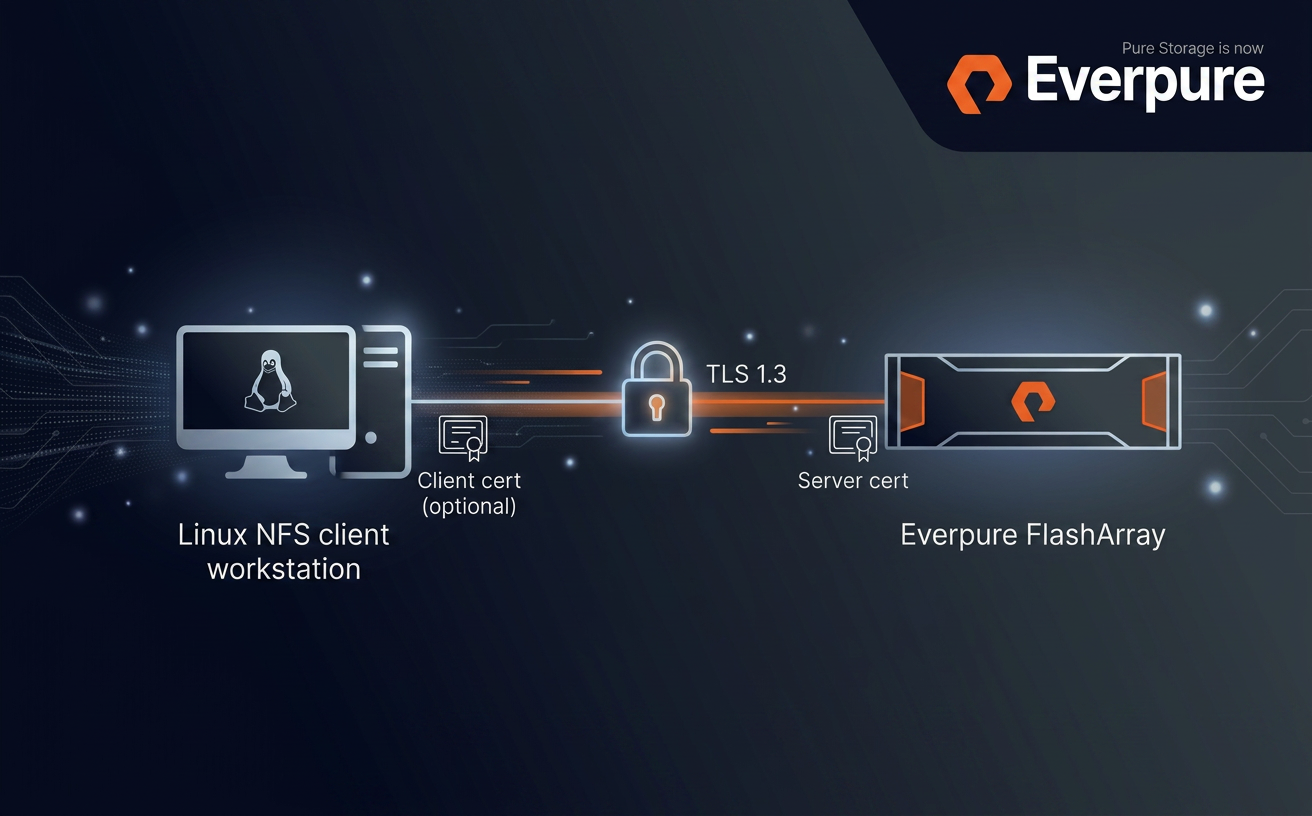
Purity//FA 6.10.6 introduces NFS over TLS for FlashArray File Services: an in-transit encryption layer that wraps NFSv3 and NFSv4.1 RPC traffic in a TLS 1.3 session as defined by RFC 9289 - Towards Remote Procedure Call Encryption By Default
Purity//FA 6.10.6 introduces NFS over TLS for FlashArray File Services: an in-transit encryption layer that wraps NFSv3 and NFSv4.1 RPC traffic in a TLS 1.3 session as defined by RFC 9289 - Towards Remote Procedure Call Encryption By Default. Server authentication is mandatory, and mutual TLS (mTLS) is available as an optional second factor.
This post is a technical feature description plus a minimum viable configuration walkthrough. It assumes you are already comfortable with FlashArray File Services (file servers, exports, policies) and Linux NFS clients.
What the feature actually is
- Transport encryption for NFS - NFSv3 and NFSv4.1 RPC traffic is carried inside a TLS 1.3 record layer over TCP/2049. No NFS-level changes; applications and mount paths stay the same.
- Server authentication - the FlashArray presents an X.509 certificate; the client validates it against its own trust store. Server certificates must include the file-server VIF in the SAN.
- Optional mTLS - the array can require and verify a client certificate against a configured trusted CA (single certificate or a certificate group).
- Per-server policy - TLS configuration is a first-class
tlspolicy attached to a specific file server, not a global toggle.
End-to-end data path
tlshd on the client performs the TLS handshake against the FlashArray; the resulting session encrypts all consequent NFS traffic on established connection.Building blocks on the FlashArray
The feature is exposed as a new tls policy type that ties together three existing concepts: certificates (imported or self-signed), the tls-policy object, and a file server. The policy holds the appliance certificate, the TLS version/cipher constraints, the protocols TLS is enforced for, and (optionally) the trusted CA used to authenticate clients.
TLS versions and cipher suites
NFS over TLS on FlashArray negotiates TLS 1.3 for the NFS data path. The tls-policy object accepts --minimum-tls-version values of 1.2 or 1.3, but that minimum is a floor, not a contract - for NFS the negotiated version will always be 1.3.
The default TLS 1.3 cipher set is:
TLS_AES_256_GCM_SHA384TLS_CHACHA20_POLY1305_SHA256TLS_AES_128_GCM_SHA256(mandatory per RFC 8446)
On clients with AES-NI, TLS_AES_256_GCM_SHA384 is the natural choice. TLS_CHACHA20_POLY1305_SHA256 is the cipher to prefer on clients without AES hardware acceleration.
NFS protocol versions and mount options
Both NFSv3 and NFSv4.1 are supported. The Linux client opts into TLS at mount time via the xprtsec option, mediated by tlshd:
| Option | Meaning |
|---|---|
xprtsec=tls | One-way TLS, server authentication only |
xprtsec=mtls | Mutual TLS - client also presents a certificate |
vers=4.1 / vers=3 | NFS protocol version |
Prerequisites
- FlashArray: Purity//FA 6.10.6 or later, with at least one configured file server.
- Client OS: a recent Linux distribution with NFS-over-TLS support (e.g. Rocky Linux 10), including
nfs-utils,tlshdand openssl (for certificate handling). - Certificates: a server certificate signed by a CA the client trusts; if there is no proper DNS record set up, the certificate must include the file-server IP Address in its
subjectAltName. For mTLS, a client certificate signed by a CA the array trusts.
Configuration walkthrough
This is the minimum sequence to land an encrypted NFS mount. Replace IPs, names and certificate paths to taste. If you don't yet have a CA to issue the server (and, for mTLS, client) certificate from, see the test-CA appendix at the end of this post.
1. FlashArray - import the appliance certificate
# on the FlashArray CLI - interactive paste of key, then certificate
purecert imported create nfs-server-cert --key

# for mTLS only: import the CA used to sign client certificates
purecert imported create nfs-client-ca
2. FlashArray - create a TLS policy
Server-auth-only policy:
purepolicy tls create nfs-tls-policy \
  --appliance-certificate nfs-server-cert \
  --tls-enforced-for nfs
mTLS variant - require the client to present a certificate and verify it against a trusted CA (the trusted CA argument accepts either a single certificate or a certificate_group):
purepolicy tls create nfs-mtls-policy \
  --appliance-certificate nfs-server-cert \
  --tls-enforced-for nfs \
  --client-certificates-required \
  --client-certificate-trust-verify-enabled \
  --trusted-client-ca-certificate nfs-client-ca
Optional version / cipher tuning:
purepolicy tls setattr nfs-tls-policy --minimum-tls-version 1.3
purepolicy tls setattr nfs-tls-policy \
  --enabled-tls-ciphers TLS_AES_256_GCM_SHA384,TLS_CHACHA20_POLY1305_SHA256
purepolicy tls list --effective
3. FlashArray - attach the policy to a file server
pureserver list
purepolicy tls add nfs-tls-policy --server your-file-server
purepolicy tls list --member
Once the policy is attached, the file server starts requiring TLS for any new NFS connection on that VIF. Existing un-encrypted sessions are not renegotiated or dropped on policy change - clients must remount or restart their NFS service to pick up the new requirements. The same caveat applies when removing or rotating the trusted client CA.
4. FlashArray - create the export (unchanged from regular NFS)
purefs create your-filesystem
puredir create your-filesystem:your-managed-dir

purepolicy nfs create your-nfs-policy
purepolicy nfs rule add your-nfs-policy \
  --client "*" --no-root-squash --rw --version nfsv3,nfsv4

puredir export create your-export \
  --dir your-filesystem:your-managed-dir \
  --policy your-nfs-policy \
  --server your-file-server
The export must live on the same file server that the TLS policy is attached to (note the --server argument).
5. Linux client - install and configure tlshd
dnf install -y nfs-utils ktls-utils
systemctl enable --now tlshd

mkdir -p /etc/pki/nfs
cp ca.crt /etc/pki/nfs/ca.crt
chmod 644 /etc/pki/nfs/ca.crt
Minimal /etc/tlshd.conf for server-only TLS:
[debug]
loglevel=1
tls=1
nl=0

[authenticate]

[authenticate.client]
x509.truststore=/etc/pki/nfs/ca.crt

[authenticate.server]
For mTLS, add the client identity:
[authenticate.client]
x509.certificate=/etc/pki/nfs/client.crt
x509.private_key=/etc/pki/nfs/client.key
x509.truststore=/etc/pki/nfs/ca.crt
Restart tlshd after any change: systemctl restart tlshd.
6. Mount
# server authentication only
mount -t nfs -o vers=4.1,xprtsec=tls,rw \
  10.0.0.100:/your-export /mnt/nfs-tls

# mutual TLS
mount -t nfs -o vers=4.1,xprtsec=mtls,rw \
  10.0.0.100:/your-export /mnt/nfs-mtls

# verify
mount | grep xprtsec
What the wire actually looks like
tlshd → encrypted NFS traffic on the same TCP connection.Operational notes
- Policy changes are not retroactive. Tightening a policy (turning TLS on, switching to mTLS, removing a cipher in use) does not drop or renegotiate existing connections. Affected clients need to remount or restart NFS. Same applies to CA removal/expiry.
- Server certificate must carry the VIF in SAN. Without a matching
subjectAltNameentry the client refuses the certificate; common symptom is a mount failure withProtocol not supportedandtlshdlogging a verification error. - NFSv4.1 connection reuse amortises the handshake cost across many operations; NFSv3 mounts re-do the handshake more often, so the relative cost is higher on connection churn.
Troubleshooting cheat sheet
| Symptom | Likely cause | First thing to check |
|---|---|---|
mount.nfs: Connection refused | Policy enforces TLS, client mounts plain NFS, or tlshd not running | systemctl status tlshd; add xprtsec=tls |
access denied by server while mounting | mTLS client cert missing/untrusted, or export rule mismatch | journalctl -u tlshd -n 100; puredir export list |
Protocol not supported | Server certificate SAN does not include the mounted IP, or CA not trusted | openssl x509 -in server.crt -text -noout | grep -A1 "Subject Alternative Name" |
Useful diagnostics on the client:
journalctl -u tlshd -f
sysctl -w sunrpc.rpc_debug=0x7fff sunrpc.nfs_debug=0x7fff
tcpdump -i any -nn -v 'host <file-server-ip> and port 2049' -w /tmp/nfs-tls.pcap
# remember to restore: sysctl -w sunrpc.rpc_debug=0 sunrpc.nfs_debug=0
Appendix: a throwaway CA for testing
For lab and PoC work it is much more useful to stand up a tiny local CA than to hand out self-signed certs. The workflow mirrors what you would do with a real PKI - the array trusts a CA, that CA signs the appliance certificate, and (for mTLS) the same or a different CA signs each client certificate. Anything below is for non-production use; do not reuse these keys anywhere you care about.
Set a couple of variables to keep the commands short:
mkdir -p ~/nfs-tls-ca && cd ~/nfs-tls-ca

VIP=10.0.0.100                       # file-server VIP the client will mount
FQDN=nfs.lab.example.com             # optional DNS name for the same VIP
CLIENT_CN=client01.lab.example.com   # only needed for mTLS
1. Root CA
# 4096-bit RSA root, valid 10 years
openssl genrsa -out ca.key 4096

openssl req -x509 -new -nodes -key ca.key -sha256 -days 3650 \
  -subj "/CN=NFS-TLS Lab Root CA/O=Lab" \
  -out ca.crt

# inspect
openssl x509 -in ca.crt -noout -subject -issuer -dates
2. Appliance (server) certificate
The server certificate must include the file-server VIP in subjectAltName; without it the client refuses the certificate during handshake. Add the FQDN as well if you have DNS for it.
openssl genrsa -out server.key 2048

openssl req -new -key server.key \
  -subj "/CN=${FQDN}/O=Lab" \
  -addext "subjectAltName=DNS:${FQDN},IP:${VIP}" \
  -out server.csr

cat > server.ext <<EOF
basicConstraints = CA:FALSE
keyUsage = digitalSignature, keyEncipherment
extendedKeyUsage = serverAuth
subjectAltName = DNS:${FQDN},IP:${VIP}
EOF

openssl x509 -req -in server.csr -CA ca.crt -CAkey ca.key -CAcreateserial \
  -out server.crt -days 825 -sha256 -extfile server.ext

# verify the chain and the SAN
openssl verify -CAfile ca.crt server.crt
openssl x509 -in server.crt -noout -ext subjectAltName
Import this pair into the FlashArray as nfs-server-cert and reference it from the TLS policy as --appliance-certificate:
# key first, then certificate, when prompted
purecert imported create nfs-server-cert --key
3. Client certificate (mTLS only)
openssl genrsa -out client.key 2048

openssl req -new -key client.key \
  -subj "/CN=${CLIENT_CN}/O=Lab" \
  -out client.csr

cat > client.ext <<EOF
basicConstraints = CA:FALSE
keyUsage = digitalSignature
extendedKeyUsage = clientAuth
EOF

openssl x509 -req -in client.csr -CA ca.crt -CAkey ca.key -CAcreateserial \
  -out client.crt -days 825 -sha256 -extfile client.ext

openssl verify -CAfile ca.crt client.crt
4. What goes where
| File | Goes to | Used as |
|---|---|---|
server.key + server.crt | FlashArray (purecert imported create nfs-server-cert) | TLS policy --appliance-certificate |
ca.crt (for mTLS) | FlashArray (purecert imported create nfs-client-ca) | TLS policy --trusted-client-ca-certificate |
ca.crt | NFS client (/etc/pki/nfs/ca.crt) | tlshd truststore (x509.truststore) |
client.key + client.crt (for mTLS) | NFS client (/etc/pki/nfs/) | tlshd client identity (x509.private_key, x509.certificate) |
From here, finish with the Configuration walkthrough steps above: create the TLS policy, attach it to the file server, create the export, configure tlshd, mount with xprtsec=tls or xprtsec=mtls.
References
- RFC 9289 - Towards Remote Procedure Call Encryption By Default
- RFC 8446 - TLS 1.3
tlshd(8)andtlshd.conf(5)manual pages- Everpure FlashArray File Services administration guide (Purity//FA 6.10.6)
