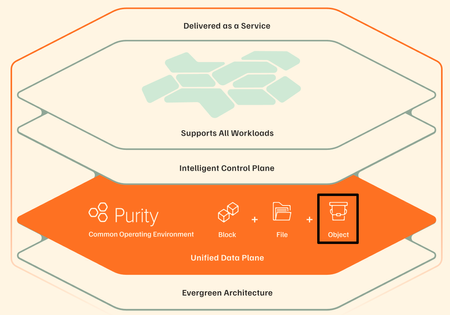
Pure's Intelligent Control Plane: Powered by AI Copilot, MCP Connectivity and Workflow Orchestration
At Accelerate 2025, we announced two capabilities that change how you manage Pure Storage in your broader infrastructure: AI Copilot with Model Context Protocol (MCP) and Workflow Orchestration with production-ready templates. Here's what they do and why they matter. AI Copilot with MCP: Your Infrastructure, One Conversation The Problem Your infrastructure spans multiple platforms. Pure Storage managing your data, VMware running VMs, OpenShift handling containers, security tools monitoring threats, application platforms tracking performance - each with its own console, APIs, and workflows. When you need to migrate a VM or respond to a security incident, you're manually pulling information from each system, correlating it yourself, then executing actions across platforms. You become the integration layer. The Solution Pure1 now supports Model Context Protocol (MCP), taking Copilot from a suggestive assistant to an active operator. With MCP enabled, Copilot doesn’t just recommend - it acts. It serves as a secure bridge between natural language and your infrastructure, capable of fetching data, executing APIs, and orchestrating workflows across diverse systems. Here’s what makes this powerful: You deploy MCP servers within your environment—one for VMware, another for OpenShift, and others for the systems you use. Each server exposes your environment’s capabilities through a standard, interoperable protocol. Pure Storage AI Copilot connects seamlessly to these MCP servers, as well as to Pure services such as Data Intelligence, Workflow Orchestration, and Portworx Monitoring, enabling unified and secure automation across your hybrid ecosystem. What You Can Connect You can deploy an MCP server on any system whether it’s your VMware environment, Kubernetes clusters, security platforms like CrowdStrike, databases, monitoring tools, or custom applications. Pure Storage AI Copilot connects to these servers under your control, securely combining their data with Pure Storage services to deliver richer insights and automation. Getting Started: If you have a use-case around MCP, please contact your Pure Storage account team. Workflow Orchestration: Deploy in Minutes, Not Months The Problem Building production-grade automation takes months. You need error handling, integration with multiple systems, testing for edge cases, documentation, ongoing maintenance. Most teams end up with half-finished scripts that only one person understands. The Solution We built workflow templates for common operations, tested them at scale, and made them available in Pure1. Install them, customize to your needs, and run them in minutes. Key Templates VMware to OpenShift Migration with Portworx Handles complete migration: extracts VM metadata, identifies backing Pure volumes, checks OpenShift capacity, configures vVols Datastore and DirectAccess, uses array-based replication, converts to Portworx format. Traditional migration takes hours for TB-scale VMs. This takes 20 to 30 minutes. SQL / Oracle Database Clone and Copy Automates cloning and copying of SQL Server and Oracle databases for dev/test or refresh needs. Instantly creates storage-efficient clones from snapshots, mounts them to target environments, and applies Pure-optimized settings. The hours-long manual process becomes a quick, consistent workflow completed in minutes Daily Fleet Health Check Scans all arrays for capacity trends, performance issues, protection gaps, hardware health.Posts summary to Slack. Proactive visibility without manually checking each array. Rubrik Threat Detection Response When Rubrik detects a threat, automatically tags affected Pure volumes, creates isolated immutable snapshots, and notifies the security team. Security events propagate to your storage layer automatically. How It Works Workflow Orchestration is a SaaS feature in Pure1. Deploy lightweight agents (Windows, Linux, or Docker) in your data center to execute workflows locally. Group agents together for high availability and governance controls. Integrations Native Pure Storage: Pure1 Connector for full API access, Fusion Connector for storage provisioning (works for Fusion and non-Fusion FlashArray/FlashBlade customers) Third-Party: ServiceNow, Slack, Google, Microsoft,CrowdStrike, HTTP/Webhooks, Pagerduty, Salesforce and more. The connector library continues expanding. Getting Started: Opt-in now in Pure1 - Workflow. Introductory offer available at this time. Check with your Pure account team if you have questions. How They Work Together At Accelerate 2025 in New York, we showcased this capability in action. Here's the scenario: an organization wants to migrate VMs to Kubernetes. Action-enabled Copilot orchestrates communication with Pure Storage appliances and services as well as third-party MCP servers to collect the required information for addressing a problem across a heterogeneous environment. With Pure1 MCP, AI Copilot, and Workflows, there's now a programmatic way to collect information from OpenShift MCP, VMware MCP, and Pure1 storage insights- then recommend an approach on what VMs to migrate based on your selection criteria. You prompt Copilot: "How can I move my VMs to OpenShift in an efficient way?" Copilot communicates across: Your VMware MCP server - to get VM specifications, current configurations, resource usage Your OpenShift MCP server - to check available cluster capacity, validate compatibility Portworx monitoring - to understand current storage performance Copilot reasons across all this information, identifies ideal VM candidates based on your criteria, and recommends the migration approach- which VMs to move, target configurations, and how to preserve policies. Then it can trigger the migration workflow, keeping you updated throughout the process. Why This Matters Storage Admins: Stop being the bottleneck. Enable self-service while maintaining governance. DevOps Teams: Deploy production-tested automation without writing code. Security Teams: Build automated response workflows spanning detection, isolation, and recovery. Infrastructure Leaders: Reduce operational overhead. Teams focus on strategy, not repetitive tasks. Get Started MCP Integration:If you have a use-case around MCP, please contact your Pure Storage account team.. Workflow Orchestration:Opt-in at Pure1 → Workflows. Learn More: Documentation in Pure1 or contact your Pure Storage account team. Pure1 evolved from a monitoring platform to an Intelligent Control Plane. AI Copilot reasons across your infrastructure. Workflow Orchestration executes. Together, they change how you manage data with Pure Storage.1.2KViews2likes0CommentsEnabling Agentic AI via Pure1 Manage MCP Server
Everpure now offers a Pure1® Manage MCP Server so you can query information about your fleet using natural language questions. In this post, I’ll explain how the Pure1 Manage MCP Server works. The first section will explain MCP in general, and the second section will explain how to use our specific server. Feel free to skip to the Quick Start section if you’re already familiar with MCP and just need the parameters to plug into your host. What is MCP? MCP stands for "Model Context Protocol," and it's a way for users to connect their AI applications to external systems using tool calls. MCP tools are fundamentally rooted in application programming interfaces (APIs). An API is a set of rules and protocols that allows different software applications to communicate with each other. It acts as an intermediary, enabling one piece of software (the client) to request information or functionality from another piece of software (the server) without needing to know the server's internal workings. For instance, when you check the weather on your phone, the weather app uses an API to send a request to a weather service, which then returns the current weather data. AI applications have trouble making API calls directly because APIs are designed for completeness and correctness, not for an LLM to use easily. When an AI application wants to use an external system to handle a user’s request, it uses the MCP protocol to make a tool call. The AI (client) requests a function (the tool) from an external system (the server), and the system executes the function and returns a result. This makes MCP a system that standardizes and mediates API-like interactions, allowing AI models to leverage external, real-world capabilities. For more information, see this article on the MCP website: “What is the Model Context Protocol (MCP)?” How can customers benefit from the Pure1 Manage MCP Server? The Pure1 Manage MCP Server enables customers to securely integrate AI assistants, copilots, and agentic systems with live Pure1 telemetry and operational data—without building custom API integrations. It transforms Pure1 from a dashboard-centric experience into an AI-accessible platform, enabling natural language interaction, contextual automation, and real-time operational intelligence. Customers benefit from faster AI integration, reduced engineering effort, preserved security controls, and improved decision velocity across hybrid environments. What types of customer workflows are best suited for MCP? The Pure1 Manage MCP Server is particularly well-suited for agentic and AI-driven workflows, including: Fleet telemetry integration with customer copilots Expose Pure1 telemetry—arrays, volumes, workloads, metrics, and alerts—into internal copilots, chatbots, or AI platforms via MCP endpoints. Value: Unified operational visibility across hybrid and multi-platform environments Automation with context awareness Use MCP to validate storage state, health, performance, or capacity before executing provisioning, backup, or disaster recovery workflows. Value: Safer automation with contextual validation, reduced execution errors, and greater rollback confidence Hybrid cloud observability Correlate Everpure array performance and capacity metrics with application, VM, container, or cloud telemetry across environments. Value: Faster troubleshooting and improved end-to-end performance insights Conversational operational analytics Enable operators to ask real-time natural language questions, such as: “Which arrays are nearing capacity risk?” “Show me the top latency spikes in the last 24 hours.” “Summarize all critical alerts across regions.” Value: Rapid insight without navigating dashboards or exporting reports What the Pure1 Manage MCP Server can do The Pure1 Manage MCP Server exposes the Pure1 Manage REST APIs to AI applications. This means you can ask ad hoc questions about your fleet using natural language, and your AI application will use the server’s tools to query the answer. No programming required. Example conversation Here’s an example conversation demonstrating the use of the Pure1 Manage MCP Server: User: "What is the name of my oldest FlashArray and what is its serial number?" Chatbot:Processing Request: The AI recognizes this as a request for fleet information requiring a tool call. Tool Invocation: Get_hardware Response: The oldest FlashArray in your fleet is named FA-Prod-01 with serial number FA10123456. User: "Can you show me the average I/O latency for that array over the last 7 days?" Chatbot: Let me first check the available latency metrics, then query the historical data: Tool Invocation: Get_metrics Tool Invocation: Get_metrics_history Response: The average I/O latency for FA-Prod-01 (serial FA10123456) over the last 7 days was 0.385 milliseconds. User: "How many arrays do I have in total that are still under warranty?" Chatbot: Processing Request: The AI recognizes this as a request for a count of arrays filtered by warranty status. Tool Invocation: Get_array_support_contracts Response: You currently have 12 arrays in your fleet that are still under active warranty. Quick start Step 1: Register an API key in Pure1 Manage The Pure1 Manage MCP Server leverages the Pure1 Manage REST APIs. In order to access those APIs, you need to register an API key in Pure1 Manage. To do that, follow the directions in the The Pure1® REST API introductory blog post. After going through the instructions, you will have an application id and a private key file, which will be used to generate an access token to access the MCP server in step 2. Step 2: Set up the pure1_token_factory.py script Prerequisites: you need Python 3.12 or greater to run the script. Download pure1_token_factory.zip. Unzip the archive. Go to the unzipped folder in your command-line terminal. Optional but recommended: create and activate a Python virtual environment: python3 -m venv .venv source .venv/bin/activate Install the requirements: pip3 install -r requirements.txt. Run python3 pure1_token_factory.py <application_id> <private_key_file> Copy the generated access token from the script output for the next step. Step 3: Add remote MCP server to your AI application Follow the directions for your AI application to add a remote MCP server (see the Pure1 Manage MCP Server User Guide for instructions for specific chatbots). In general, they need the following information: Remote MCP Server address: https://api.pure1.purestorage.com/mcp Authorization type: header Header name: Authorization Header value: Bearer <access-token> Important: <access-token> is just a placeholder for the access token you generated in step 2. The actual header value should look something like “Bearer eyJ0eXAiO…” Important: you need to generate a new access token every 10 hours and copy it into your AI application You’ll need to run pure1_token_factory.py to generate a new access token every 10 hours, and manually copy the access token into your AI application’s config. Claude Desktop instructions Claude Desktop is a special case because it doesn’t let you set the Authorization header directly. You have to run the mcp-remote local MCP server and configure that to use the Pure1 Manage remote MCP server. Prerequisites You need to have Node.js version 18 or newer installed on your system. Configuration In Claude Desktop, go to Settings > Developer, and click Edit Config. Open the claude_desktop_config.json file in a plain-text editor like VS Code. Configure the mcp-remote server, which is necessary to pass the Authorization header to the Pure1 Manage MCP Server. Paste the token into the configuration file, then restart Claude Desktop. { "mcpServers": { "Pure1 API": { "command": "npx", "args": [ "-y", "mcp-remote", "https://api.pure1.purestorage.com/mcp", "--header", "Authorization:${AUTHORIZATION_HEADER}" ], "env": { "AUTHORIZATION_HEADER": " Bearer <paste access token here>" } } } Note: there might be other configuration options in this file. Be sure to leave them unchanged, and only insert the Pure1 API config in the mcpServers section. The space in the AUTHORIZATION_HEADER environment variable is important. It's there to work around a bug in Windows argument parsing. Please note that: The first time it uses a tool, it will ask you for permission. You can grant permission to all tools at once by going to Customize > Connectors > Pure1 API, and selecting Always Allow under Other tools. For more detailed instructions from Anthropic, please refer to: Connect to local MCP servers - Model Context Protocol.800Views1like0Comments
Ask Us Everything Recap: Making Purity Upgrades Simple
At our recent Ask Us Everything session, we put a spotlight on something every storage admin has an opinion about: software upgrades. Traditionally, storage upgrades have been dreaded — late nights, service windows, and the fear of downtime. But as attendees quickly learned, Pure Storage Purity upgrades are designed to be a very different experience. Our panel of Pure Storage experts included our host Don Poorman, Technical Evangelist, and special guests Sean Kennedy and Rob Quast, Principal Technologists. Here are the questions that sparked the most conversation, and the insights our panel shared. “Are Purity upgrades really non-disruptive?” This one came up right away, and for good reason. Many admins have scars from upgrade events at other vendors. Pure experts emphasized that non-disruptive upgrades (NDUs) are the default. With thousands performed in the field — even for mission-critical applications — upgrades run safely in the background. Customers don’t need to schedule middle-of-the-night windows just to stay current. “Do I need to wait for a major release?” Attendees wanted to know how often they should upgrade, and whether “dot-zero” releases are safe. The advice: don’t wait too long. With Pure’s long-life releases (like Purity 6.9), you can stay current without chasing every new feature release. And because Purity upgrades are included in your Evergreen subscription, you’re not paying extra to get value — you just need to install the latest version. Session attendees found this slide helpful, illustrating the different kinds of Purity releases. “How do self-service upgrades work?” Admins were curious about how much they can do themselves versus involving Pure Storage support. The good news: self-service upgrades are straightforward through Pure1, but you’re never on your own. Pure Technical Services knows that you're running an upgrade, and if an issue arises you’re automatically moved to the front of the queue. If you want a co-pilot, then of course Pure Storage support can walk you through it live. Either way, the process is fast, repeatable, and built for confidence. Upgrading your Purity version has never been easier, now that Self Service Upgrades lets you modernize on your schedule. “Why should I upgrade regularly?” This is where the conversation shifted from fear to excitement. Staying current doesn’t just keep systems secure — it unlocks new capabilities like: Pure Fusion™: a unified, fleet-wide control plane for storage. FlashArray™ Files: modern file services, delivered from the same trusted platform. Ongoing performance, security, and automation enhancements that come with every release. One attendee summed it up perfectly: “Upgrading isn’t about fixing problems — it’s about getting new toys.” The Takeaway The biggest lesson from this session? Purity upgrades aren’t something to fear — they’re something to look forward to. They’re included with your Evergreen subscription, they don’t disrupt your environment, and they unlock powerful features that make storage easier to manage. So if you’ve been putting off your next upgrade, take a fresh look. Chances are, Fusion, Files, or another feature you’ve been waiting for is already there — you just need to turn it on. 👉 Want to keep the conversation going? Join the discussion in the Pure Community and share your own upgrade tips and stories. Be sure to join our next Ask Us Everything session, and catch up with past sessions here!800Views3likes2CommentsWhy Object Storage Still Matters
In Part 2, I wrote a line that, at the time, felt almost like a side comment — something I typed without fully appreciating how much it would change the direction of the story: “BREAKING NEWS: The FlashArray now supports Object??? What in the world? I may need to write an article about that!!” That reaction wasn’t planned, and it definitely wasn’t me being clever. It was me looking at the GUI and thinking, “that can’t be right… can it?” It didn’t line up with how I’ve been modeling storage architectures in my head for years, which usually means one of two things: either something fundamentally changed… or I’ve been confidently wrong about part of this for a while. And if I’m being completely honest, there was also a second reaction happening in parallel — one that I didn’t write down at the time because it sounded slightly ridiculous even in my own head: “Wait… do I actually understand why object storage exists in the first place? And more importantly… what exactly was wrong with files?” That’s the part nobody likes to admit out loud. We’ve all spent years confidently explaining block, file, and object as if we were born with that knowledge, when in reality most of us learned it incrementally, retroactively, and with just enough conviction to sound credible in front of a customer. Object storage, in particular, has always carried this aura of inevitability — like of course it’s better, of course it scales, of course it’s what modern applications need — without always forcing us to question why the previous model stopped being enough. Because for as long as most of us have been designing infrastructure, object storage has not simply been another protocol layered onto an existing system. It has represented a fundamentally different way of organizing and accessing data, one that required its own architectural approach, its own scaling model, and, more often than not, its own dedicated platform. The separation between block, file, and object was not arbitrary; it was a reflection of how deeply different those paradigms were in terms of metadata handling, access patterns, and performance expectations. This is precisely why platforms such as Everpure FlashBlade exist in the first place. They were not created as extensions of traditional storage systems but as purpose-built architectures designed to treat unstructured data — and particularly object data — as a first-class citizen. The use of distributed metadata services, sharded across independent nodes, combined with a key-value store storage model, allows such systems to achieve levels of parallelism and throughput that simply cannot be replicated within a controller-based design. In that context, object storage is not something that is “added” to the system; it is the system. Which is why seeing S3 support appear on FlashArray required a pause. Not excitement. Not skepticism alone. Something closer to intellectual friction. Reconciling Two Architectural Worlds The most important step in understanding what FlashArray has introduced is to resist the temptation to treat it as a direct comparison to FlashBlade. These aren’t two different ways of solving the same problem. They’re two different answers to two different problems—and pretending otherwise is where people get themselves into trouble. FlashBlade is built for object, not adapted to it. S3 talks directly to a distributed engine that thinks in objects, not files pretending to be objects. Metadata is spread across blades instead of becoming a centralized choke point, and the whole system scales the way modern workloads actually need it to. There’s no file system layer to fight with, no directory structure to navigate, no POSIX semantics getting in the way. It just does what you’d expect when you remove all of that: it goes fast, it scales cleanly, and it keeps up with workloads like HPC, AI and analytics without breaking a sweat. FlashArray takes a very different path, and in reality, it’s not what most people expect. It doesn’t try to reinvent itself as an object platform, and it doesn’t throw an S3 gateway in front of the array and call it a day. With Purity 6.10.5+, S3 just shows up as another protocol the system understands, right next to block and file. That distinction matters more than it seems. This isn’t something duct-taped on the side — it’s part of the same control plane, the same data path, the same system you’ve already been running. But let’s not pretend it turned into FlashBlade overnight. This is still a controller-driven architecture. The primary controller does the heavy lifting — handling requests, authenticating them, coordinating operations — before anything actually hits the storage engine. Which means it behaves differently, especially as workloads scale. So it ends up in this interesting middle ground. Not a native object system in the pure sense, but not a hack either. Just a different way of exposing what’s already there. The Translation Layer and Its Consequences It would be irresponsible to discuss FlashArray S3 without explicitly addressing the implications of this design. Even with its native integration into Purity, S3 operations are still subject to the realities of a controller-bound architecture. Every request must be processed, authenticated, and coordinated before it is executed, introducing a measurable difference in behavior compared to both native block operations and distributed object systems. The most immediate effect is latency. While FlashArray continues to deliver sub-150 microsecond performance for block workloads, S3 operations typically operate at higher latencies (in 1 millisecond range) due to the additional processing steps involved. This is not a flaw; it is the natural outcome of introducing a protocol that was designed for scale and flexibility into a system optimized for low-latency transactional workloads. Metadata handling further reinforces this distinction. FlashBlade distributes metadata across its architecture, enabling massive parallelism and consistent performance at scale. FlashArray processes metadata through its controller framework, which introduces natural serialization points under high concurrency. As workloads become increasingly metadata-heavy — particularly with small objects — this difference becomes more pronounced. The system also enforces clearly defined operational limits to maintain predictable performance. As of Purity 6.10.5+, FlashArray supports up to 250 S3 buckets per array and a maximum of 1,000,000 objects per bucket. FlashArray Object Store Limits Object storage operates at the array scope and does not integrate with multi-tenancy or “realms”, which has implications for service provider models and strict tenant isolation requirements. These constraints are not arbitrary limitations; they are guardrails that ensure the system behaves consistently within its architectural boundaries. Where the Architecture Becomes Secondary Having established those boundaries, the conversation naturally shifts from “how it works” to “why it matters”. In many enterprise environments, particularly within SLED organizations, the challenge is not achieving exabyte-scale throughput or supporting billions of objects. The challenge is delivering capabilities in a way that is operationally sustainable, economically efficient, and aligned with existing infrastructure. This is where FlashArray’s approach becomes compelling. By exposing object storage within the same platform that already supports block and file workloads, it eliminates the need to introduce a separate system, a separate operational model, and a separate set of dependencies. The same management interface, the same automation framework, and the same data services extend across all protocols. More importantly, object data inherits the full set of Purity capabilities. Global inline deduplication and compression apply to S3 workloads, significantly improving storage efficiency compared to many object-native platforms. SafeMode snapshots extend immutability to object storage, providing a critical layer of protection against ransomware. ActiveCluster, combined with ActiveDR, enables a three-site resilience model that ensures data availability across multiple locations with zero RPO between primary sites. These are not incremental improvements. They represent a shift in how object storage can be consumed within an enterprise. Practical Use Cases in a Unified Model When viewed through this lens, the use cases for FlashArray S3 become both clear and grounded in reality. Development and Staging Environments Some applications rely on S3 APIs but do not require massive scale, FlashArray provides a consistent and integrated object interface without introducing additional infrastructure. Developers can build and test against a familiar model while remaining within the same operational environment. Backup and Recovery Workflows FlashArray S3 enables modern data protection strategies that leverage object storage while benefiting from flash performance, deduplication, and indelible snapshots. This combination improves both recovery times and storage efficiency. Tier-two repositories and application-integrated storage represent another natural fit. Workloads such as document management systems, logs, and archival data often require object semantics but do not justify the higher cost of a dedicated object platform. Consolidating these workloads onto FlashArray simplifies operations while maintaining reliability and performance. Where the Boundaries Still Matter None of this diminishes the importance of selecting the appropriate platform for workloads that demand a different architecture. High-performance AI pipelines, large-scale analytics environments, and use cases requiring massive parallelism remain firmly within the domain of FlashBlade. The ability to scale performance linearly, distribute metadata across many nodes, and support billions of objects is not optional in these scenarios — it is essential. What has changed is not the relevance of those systems, but the necessity of deploying them for every object storage use case. A Subtle but Significant Shift The introduction of S3 on FlashArray does not represent a replacement of one architecture with another. It represents a convergence of capabilities within a unified operational framework. Object storage, in this model, is no longer a destination that requires its own platform. It becomes a capability — one of several ways to access and manage data within the same system. That shift is easy to overlook, but its implications are significant. It allows organizations to design around outcomes rather than protocols, to reduce complexity without sacrificing capability, and to align infrastructure more closely with the needs of modern applications. Closing Reflection Looking back at that line in Part 2, it is clear that the reaction was not just about a new feature appearing in the interface. It was about the recognition — however incomplete at the time — that something foundational was beginning to change. Object storage did not suddenly become simpler, nor did it lose the architectural complexity that defines it. What changed is where it lives. And once that becomes clear, you start asking a slightly uncomfortable but very honest question: If this works… and it works well enough for most of what I actually need… why was I so convinced it had to live somewhere else in the first place? That is usually where the interesting work begins. Appreciate you reading. Dmitry Gorbatov © 2025 Dmitry Gorbatov | #dmitrywashere401Views1like0CommentsNew Pure Code site is live!
After many months of messing with some very old code, we have launched a revised site for the Pure Code Portal. It is much more minimalistic and cleaner than the old one, and we have plans to add our Code videos and Pure Employee website links in the near future. Have a look and feel free to leave a comment if you would like to see something on the site. https://code.purestorage.com/ Cheers, //Mike400Views2likes1CommentEverpure PowerShell SDK 2.52.323 released! New Cmdlets, Parameters, & More!
If your FlashArray automation has reached the point where every new Purity feature means another wrapper function, another chunk of parameter-validation code, and another comment that says “temporary workaround,” this release is for you. Everpure PowerShell SDK 2.52.323 is the latest GA release of the SDK for FlashArray. 64 new cmdlets and 47 existing cmdlets with new parameters. The more useful way to think about it is this: a whole lot of storage operations that used to sit just outside your PowerShell toolbox are now much closer to first-class automation. And yes, there’s an important footnote before we get too excited - we’re still a bit behind on the API parity with Purity. We’re still working on that.Stay tuned!. Wrappers, Drift, Chaos... Oh My PowerShell is great right up until the API surface you need isn’t represented by a cmdlet yet. Then the usual routine begins: A little REST, a little PowerShell. Authentication, URI construction, JSON bodies, response parsing, and error handling all end up in the same script. A little inventory archaeology. Someone has to remember which array has which policy, which workload belongs to which directory, and whether that “new” script still matches the current API. A little parameter drift. The array supports a capability, but your automation doesn’t expose it because the wrapper was written six months ago. A little naming chaos. Not enough to make the script fail, naturally. Just enough to make the next person stare at it for twenty minutes. The old way works. It’s just not especially fun to maintain, and “works” is doing a lot of heavy lifting there. So what exactly is new in 2.52.323? This release updates the SDK’s cmdlet coverage for Purity REST API versions 2.0 through 2.52. It adds new entry points across object storage, policies, quality of service, protection, identity, realms, workload placement, and more. Here are the areas that stood out to me in the release notes. Object Store gets a much bigger PowerShell surface There are new cmdlets for working with: Buckets and bucket performance/space information Lifecycle rules Object Store access keys, accounts, users, and user policies Object Store virtual hosts Object Store access policy members and rules That includes the basic create, update, remove, and get operations you’d expect in an automation workflow. In other words, Object Store administration is less likely to require a detour into raw REST calls just because the script needs to create a bucket or rotate an access key. Network access policies become scriptable The release adds cmdlets for network access policy objects, members, and rules, along with operations for creating, updating, removing, and inspecting them. There are also new array parameters for associating network access policies by ID, name, or resource type. That’s the kind of small-looking addition that becomes important when you’re trying to make a script reusable across arrays instead of hard-coding one environment’s identifiers into it. QoS coverage expands across the stack New cmdlets expose QoS information for hosts, host groups, volumes, volume groups, and realms. Existing host and host-group creation and update cmdlets also gain bandwidth and IOPS limit parameters. That gives you a more consistent way to describe performance intent in automation. Instead of treating QoS as a manual cleanup step after provisioning, your script can include the limits as part of the object lifecycle. Workload-aware directory and file-system operations A large part of the parameter expansion is about workloads. Directory and file-system cmdlets gain workload IDs, workload names, workload configuration, policy associations, default protection options, and related controls. There are also new workload-oriented parameters for NFS, SMB, snapshot, and quota policies. This is useful if your automation thinks in terms of applications and workloads rather than treating every volume, directory, or file system as an isolated object. Presets and placement recommendations expose more detail New-Pfa2PresetWorkload and Set-Pfa2PresetWorkload gain a substantial set of parameters for naming patterns, directory configurations, export configurations, quota and snapshot behavior, periodic replication, QoS, and placement. The placement recommendation cmdlet also gains parameters for richer result data, including target IDs and names, resource types, capacity, model, placement configuration, replication configuration, warnings, and capacity/load projections. This matters because a placement recommendation is more useful when automation can inspect why a target was selected, what its projected state looks like, and what warnings came back — not just whether a recommendation existed. Tags show up in snapshot workflows The new tag-related parameters on volume snapshot and remote protection group snapshot operations include tag namespace, key, value, copyability, and tag context/resource references. That’s a nice fit for scripts that use tags to carry ownership, application, environment, or operational metadata through protection workflows. More coverage around realms, SSO, offload, and remote resources The release also adds or expands cmdlets around: Realm connections and connection keys Remote realms and remote realm tags Remote pods SSO/SAML configuration Azure offload identity and placement settings Active Directory service testing Array cache inspection Support system manifests This is a broad release, not a single-feature release wearing a new version number. The common thread is that more of the things admins already manage in Purity are now represented in the SDK. 47 new parameters is arguably the more interesting part New cmdlets are easy to spot. New parameters are where existing automation gets more capable without needing a complete rewrite. A few examples from the release notes: ContextName and AllowError are added to several commands, including DNS, network interface, realm, and connection-path operations. QosBandwidthLimit and QosIopsLimit are added to host and host-group creation and update operations. WorkloadIds and WorkloadNames are added to directory, file-system, and policy query paths. Azure client, tenant, secret, and placement settings are added to offload creation. Snapshot operations gain tag-related parameters. SSO/SAML operations gain parameters for trusting other SAML service providers in a fleet and setting the service-provider entity ID. Preset workload operations gain a large set of nested configuration parameters, including naming patterns, export settings, quota rules, snapshot rules, replication rules, and placement configuration. The release notes contain the complete cmdlet-by-cmdlet list. I’d use that list as the migration checklist for existing scripts search for the wrapper functions you wrote around these areas, then see whether the SDK now gives you a direct path. There is a HTML Help file available in the GitHub repository. Check it out for an easy reference. The module can be installed side by side with the PowerShell SDK 1.x line, which is helpful if you have older scripts that aren’t ready for a migration project this week. Nobody needs that surprise in the middle of a maintenance window. Compatibility details that kinda matter The release notes call out these requirements and compatibility points: Purity FlashArray support for REST API versions 2.0 through 2.52, inclusive .NET Core 2.1 or later as the stated requirement A 64-bit operating system Windows PowerShell minimum versions for Windows 10, Windows Server 2016, Windows Server 2019, macOS, and Linux macOS and Linux support is noted as not fully tested The practical takeaway: check the host where your automation actually runs, not just the workstation where you first tested the module. A script that works from a newer admin laptop can still fail when it lands on an older jump host with a different PowerShell runtime. A worked example: turning a storage workflow back into storage automation Imagine a team managing application file systems for several environments. Their current process looks like this: Create the file system from PowerShell. Open a separate tool to add policy associations. Manually set QoS on the host group. Add tags to snapshots later, because the first script doesn’t know about them. Keep a second script around to inspect placement results when the environment gets busy. None of those steps is individually terrible. Together, they create the classic “automation” workflow where the human is still the integration layer. With 2.52.323, the team can start consolidating that process around the SDK’s expanded surface: Use the new workload-oriented directory and file-system parameters to carry workload identity and configuration through provisioning. Include host or host-group QoS limits as part of the create or update operation. Use the expanded preset workload parameters to define naming, protection, export, quota, snapshot, replication, and placement behavior together. Inspect placement recommendation targets, warnings, and projections from PowerShell instead of flattening the response into a yes/no result. Apply snapshot tags as part of the protection workflow rather than as a manual afterthought. The point isn’t that one giant script should own the entire storage universe. Please don’t build that script. The point is that each stage can now express more of the intended state directly, with fewer custom REST wrappers sitting between the operator and the array. The nerdy details A few practical observations from the release notes: The SDK exposes Purity REST API functionality as PowerShell cmdlets, so this release is primarily about keeping the PowerShell surface aligned with the API surface. The release adds 64 cmdlets and expands 47 existing cmdlets with new parameters. The release notes do not report performance testing for this release. The full cmdlet and parameter inventory is long, 472 lines in the published release-notes file, so use the source document as the exhaustive reference instead of treating this post as a replacement for it. Why this matters The best SDK release is not the one that gives you the most commands to memorize. It’s the one that lets you delete the most “temporary” code. PowerShell SDK 2.52.323 gives admins more direct coverage for Object Store, policies, QoS, workload configuration, snapshots, tags, realms, placement, and identity. That means fewer hand-built REST calls, fewer disconnected provisioning steps, and a better chance that the automation describes the desired storage state instead of merely replaying the clicks somebody made last quarter. Start with the parts your scripts already work around. Install from the PowerShell Gallery, update the help, compare your wrappers with the new cmdlets and parameters, and migrate incrementally. You don’t have to boil the ocean. You just have to stop rebuilding the same little piece of ocean in every script. Until next time… Cheers!398Views3likes1Comment