Using Pure1 AI Copilot to Assess CVE Exposure and Get Upgrade Recommendations
Fleet Security Assessment The Pure1 Fleet Security Assessment provides a fleet-wide view of the security posture of FlashArray and FlashBlade systems by correlating each asset's current software version against Everpure's curated CVE database. Determine whether an asset is exposed to a known CVE A storage administrator can: Log into Pure1. Navigate to Fleet Security Assessment. View all registered arrays within the fleet. For each array, Pure1 automatically identifies: Current Purity version Product family (FlashArray / FlashBlade) Array Name Array ID Serial Number Pure1 compares the running Purity version against the Everpure Product Security Advisory database and determines: Whether the version is affected by known CVEs. Severity of each vulnerability (Critical, High, Medium, Low). Whether a fix is available. Whether a workaround exists. Whether the CVE affects the customer's specific product. Selecting an individual array allows the administrator to review: CVE ID CVSS Score Severity Description Affected component Security Bulletin Fixed version Mitigation guidance This enables administrators to quickly prioritize remediation activities based on risk across their entire storage estate. Using AI Copilot AI Copilot provides a conversational interface to the same security intelligence, allowing administrators to ask questions in natural language rather than navigating multiple dashboards. Examples include: "Is array FA-01 exposed to any critical security vulnerabilities?" Another example: "Which arrays in my fleet are exposed to critical CVEs?" Administrators could also ask: "Show me every FlashBlade affected by OpenSSH vulnerabilities." or "Which arrays are running unsupported Purity versions?" Intelligent Upgrade Recommendations Rather than simply identifying vulnerable arrays, AI Copilot can also recommend an upgrade. AI Copilot will go beyond security and determine whether the array is actually ready for upgrade. Example prompt: "Can I safely upgrade FA-01 to Purity 6.9.4?" AI evaluates: Hardware compatibility Controller generation Installed DirectFlash modules Current Purity version Intermediate upgrade requirements Known upgrade restrictions Health status Replication configuration SafeMode Supportability Current alerts Capacity utilization Pending hardware failures Replication synchronization Outstanding upgrade blockers And determines the most appropriate version based on the customer's environment based on customer’s Current Purity version Current LLR Current ER Security vulnerabilities Feature requirements Hardware support Known software defects Current advisories Upgrade path complexity Engineering recommendations Customer support policy Example: Users could ask: "What version should I upgrade to?" Fleet-wide Upgrade Planning AI could also answer strategic questions such as: "Show every array requiring a security upgrade."or "Which arrays should be upgraded in the next 30 days?" Conclusion The integration of Pure1 Fleet Security Assessment and AI Copilot fundamentally transforms storage security management from a reactive, manual task into a proactive, data-driven strategy. By providing deep visibility into CVE exposure across the entire fleet and delivering intelligent, context-aware Purity upgrade recommendations, Pure1 empowers administrators to mitigate risks before they can be exploited. This shift to strategic fleet planning ensures that storage environments remain resilient, compliant, and optimized, allowing organizations to focus on innovation rather than crisis management.72Views0likes0Comments
The Art of Sizing: The Seven Signals That Help Decide Oracle 26ai Readiness
The Art of Sizing — Series Categories: Databases · Oracle · AI and Machine Learning By Thomas Stutesman, Principal Field Solutions Architect, Everpure A migration readiness scorecard turns raw Oracle AWR telemetry into seven plain-language signals — and shows you exactly where a lift-and-shift would carry yesterday's problems into tomorrow's platform. The migration everyone is planning for Across the industry, many organizations are now looking to move to Oracle AI Database 26ai. The release promises autonomous efficiency, AI-driven insight, and native vector search — but for most teams the path forward is clouded by one uncomfortable question: is our current infrastructure sized for tomorrow, or are we carrying the weight of yesterday's inefficiencies? The 26ai Migration Readiness scorecard is one of the helpful tools Everpure has created to make that migration easier. It takes the telemetry you already have — your Oracle Automatic Workload Repository (AWR) reports — and translates it into a clear, consistent read on where each database stands, so you move with evidence instead of assumptions. This is the first idea in our Art of Sizing series: for a decade, cheap flash and fast cores let us over-provision and "throw hardware at it." Oracle 26ai — with real vector workloads and a hardware market where components cost more and take longer to arrive — ends that era. Disciplined sizing is back, and it starts with reading the right signals. What the scorecard shows Point the assessment at an estate and it produces a single view: every database, scored across seven signals, rolled up into a combined readiness score. In one illustrative example across eight databases, the combined readiness score was 118 out of 168 — with 0 Ready, 7 Caution, and 1 Risk. None were a clean lift-and-shift: seven needed validation and tuning, and one needed remediation before it could move. Each database is scored across the seven signals with a simple traffic light, and the lights roll up into a score out of 21 — seven signals, three points each: Ready — 3 points — inside the healthy threshold Caution — 2 points — worth validating Risk — 1 point — attend to before you move A score of 18–21 is favorable, 13–17 means review needed, and below 13 flags remediation. Think of it as a current-state indicator that tells you where the risk concentrates — not a migration certification. A red flag doesn't mean "cannot migrate." It means the problem will follow you into 26ai — or get worse — if you size the new environment from the old box instead of from the evidence. The seven signals, one by one These are the value items to worry about when sizing for and moving to 26ai. For each, here is what it reads from AWR, why it drives your target design, what a red is telling you, and how Everpure helps you act on it. Signal 01 — System Capacity Reads DB Time against available CPU cores, average active sessions, and host CPU pressure. This sets the compute floor for the target and drives per-core Oracle licensing — size to the old ceiling and you inherit the old bottleneck. On top of that, 26ai's vector and embedding work adds fresh CPU demand. Red means: the source is already CPU-bound; moving as-is relocates the constraint. You need real headroom, not a like-for-like footprint. How Everpure helps: the assessment reports peak (not averaged) CPU demand per database and translates it into a right-sized core count — so the target is provisioned for the real workload plus deliberate headroom, and licensing is planned rather than guessed. Signal 02 — SQL & Parse Reads hard-parse rate, literal (non-bind) SQL, library-cache and cursor-sharing behaviour. 26ai changes optimizer behaviour, so heavy hard-parsing burns CPU, pressures the shared pool, and invites plan regressions on the new release. Red means: application-level SQL that will keep burning CPU or regress on cutover. Plan-stability work (SQL Plan Management, baselines) and shared-pool sizing belong before the move. How Everpure helps: because the assessment looks at the whole estate, not one instance, it surfaces shared SQL/parse patterns across databases — so one remediation effort (often "add bind variables") protects many migrations and lowers the CPU you have to size and license for. Signal 03 — Wait Profile Shows how DB Time splits across CPU, I/O, concurrency, and commit/log waits. It tells you what kind of bottleneck you are actually sizing for — a commit-bound database and an I/O-bound one need very different target designs. Red means: DB Time is dominated by a problematic wait (log file sync, buffer busy, latch/enqueue). Sizing CPU or storage without addressing it just moves the pain. How Everpure helps: Everpure maps the dominant wait class to the right lever — low, predictable write latency on FlashArray for commit/log waits; CPU or memory changes for concurrency waits — so the target attacks the real bottleneck instead of over-buying everywhere. Signal 04 — I/O Profile Reads read/write IOPS, throughput, block size, and latency. This is the direct input to storage sizing, and it separates latency-sensitive OLTP from bandwidth-driven scan/DW workloads — which size very differently. Averages hide the peak windows that actually test the array. Red means: real I/O demand the target tier must sustain. Under-provision here and everything above it — waits, capacity, response time — degrades. How Everpure helps: the assessment moves beyond averages to hour-by-hour peak-window analysis and turns it into a concrete IOPS/throughput/latency target for FlashArray — sub-millisecond and consistent, so the design performs at peak, not just on paper. Signal 05 — Memory Reads SGA/PGA sizing, buffer-cache behaviour, and Oracle's own memory advisories. Right-sizing memory on the target avoids trading RAM savings for a flood of avoidable physical I/O — and under-sized memory quietly inflates the I/O profile, so the two signals move together. Red means: memory is under-provisioned and driving physical reads that should be cache hits. Size SGA/PGA to demand rather than copying the old config. How Everpure helps: Everpure correlates memory pressure with observed I/O, so recommendations account for both together — enough memory to cut needless physical reads, and storage sized for what genuinely reaches disk. Signal 06 — Temp & Work Reads temp tablespace usage, sort/hash spills, PGA work-area activity, and multipass operations. Analytics, reporting, and AI-adjacent workloads live or die on temp and PGA — and 26ai vector operations add sort/compute patterns you have not sized for before. Red means: large sorts/hashes are spilling to temp; without PGA and temp sizing, the workload is slow on day one regardless of platform. How Everpure helps: the assessment quantifies spill behaviour and feeds it into PGA and temp-tier sizing, while FlashArray's consistent low latency keeps unavoidable spill cheap rather than catastrophic. Signal 07 — Segment Risk Reads large or fast-growing segments, chaining, LOBs, partitioning, and use of features like TDE, Hybrid Columnar Compression, and Smart Scan. These are the objects that don't migrate cleanly — reorg candidates, feature-compatibility items, and capacity-growth landmines. Red means: schema-level cleanup, not just capacity: objects that need reorg, or that depend on features the target must be configured to support from day one. How Everpure helps: Everpure auto-detects active features (TDE, HCC, Smart Scan) so the target is configured for them without over-provisioning, and replaces full clones and legacy triple-copy redundancy with space-efficient snapshots and external redundancy to reclaim capacity. From evidence to a right-sized migration The scorecard is the front door. Behind it is an assessment built to turn these seven signals into decisions you can defend to procurement and operations alike. It captures every instance for an ecosystem view, replaces multi-day averages with peak-window analysis, and translates raw metrics into specific storage and configuration recommendations for a 26ai target. It runs privacy-first — hostnames and SQL identifiers are masked, and only the actionable results are shared. Sometimes the biggest finding is what you don't need to buy. One prospect expected to buy 200 TB. The workload needed 18 TB. The gap was legacy ASM high-redundancy (three data copies) plus full clones for dev/test. Moving to Oracle-recommended external redundancy on Everpure and space-efficient snapshots reclaimed roughly two-thirds of the footprint and eliminated over 180 TB of wasted capacity — exactly the kind of trap that nameplate-based sizing would have locked in. From there, a right-sized design lands on a platform built for database density: Everpure FlashArray//XL R5 delivers sub-millisecond, consistent latency and industry-leading data reduction that absorbs vector growth economically. Pure Fusion presets encode your sizing discipline once so every 26ai environment is provisioned the same way, and Pure1 adds fleet-wide performance, capacity forecasting, and application-level context. A sizing-first path to 26ai Assess. Send your AWR reports; the 26ai Readiness Assessment is generated automatically, with identifiers masked. Interpret the signals. Reds are the pre-migration punch list; cautions are the validate list. Watch for fleet-wide patterns. Remediate reds first. Fix CPU, SQL/parse, dominant waits, and segment issues before cutover. Right-size the target. Size compute, memory, temp/PGA, and storage to the measured peak — and strip out redundancy and clone inflation. Provision consistently. Use Pure Fusion presets so every environment is built to the same standard. Validate with a pilot. Confirm behaviour against a representative pilot and target telemetry before scaling the wave. Summary Oracle 26ai brings back the art of sizing. The 26ai Migration Readiness scorecard reads seven signals from your AWR data — System Capacity, SQL & Parse, Wait Profile, I/O Profile, Memory, Temp & Work, and Segment Risk — so you can remediate the reds, right-size the target to your real workload, and move to 26ai with confidence instead of guesswork. Know where you stand — send us an AWR report, and Everpure's Oracle experts will run the 26ai Readiness Assessment on your environment and walk you through the seven signals, your remediation punch list, and a right-sized target design. The readiness score is an AWR-derived, current-state indicator to guide investigation and planning. It is not a migration certification, a final target-platform sizing, or a target-array headroom calculation — those decisions require workload requirements, target telemetry, compatibility checks, and a representative pilot. Database figures shown are illustrative. Oracle is a trademark of Oracle Corporation. © 2026 Everpure, Inc.39Views0likes0CommentsThe Art of Sizing: Breaking the Myths of Oracle Compression
If you work in storage or databases, you have probably heard the pitch: turn on Oracle compression, send fewer bytes, save space, reduce I/O, and lower cost. That sounds great on a slide. In the real world, it is often the opposite. This installment of The Art of Sizing breaks down one of the most persistent myths in enterprise infrastructure: that Oracle host-based compression is automatically a win. We are going to walk through the major compression types, where they help, where they hurt, and why the wrong compression decision can actually create more cost, more network traffic, more I/O, and more work for both storage admins and DBAs. The goal is not to say compression is bad. The goal is to size it correctly, understand where it belongs, and avoid paying premium dollars to make your systems do extra work. Why this myth survives Compression has a good reputation for a reason. Historically, it solved real problems. Storage was expensive, bandwidth was limited, and shrinking data was often the simplest path to efficiency. That logic still holds in some places. But in Oracle environments, especially transactional ones, the story gets more complicated. Oracle is not just writing datafiles. It is writing redo, managing undo, reorganizing blocks, updating symbol tables, and sometimes re-processing data later for deeper compression. That means a “smaller data footprint” does not always equal a smaller infrastructure burden. Sometimes it just shifts the burden somewhere else. First, let’s separate the compression families Not all compression is the same, and not all of it behaves the same way in Oracle. 1. General lossless compression This is the classic world of ZIP, GZIP, LZ77, LZ78, DEFLATE, ZSTD, and similar algorithms. The point is simple: reduce size without losing information. These methods are excellent for files, backups, archives, and many data services. Modern storage platforms use fast versions of these ideas in ways that are largely invisible to the application. 2. Lossy compression Think JPEG, MP3, MPEG, and H.264. These formats intentionally throw away some data in exchange for dramatic size reduction. They are incredibly effective for media, but they are not relevant for Oracle datafiles because databases generally require exact fidelity. 3. Oracle database compression This is where the confusion starts. Oracle has several different compression approaches, each with different behavior, licensing implications, and performance trade-offs: - Basic Table Compression - Advanced Row Compression - Advanced Index Compression - SecureFiles LOB Compression - Hybrid Columnar Compression - RMAN Backup Compression - Automatic Data Optimization and ILM-driven background re-compression Lumping all of those together under “Oracle compression” is one of the fastest ways to make bad architecture decisions. The big myth: compressed writes mean less work Here is the myth in plain English: If Oracle compresses the data before it sends it to storage, the network carries fewer bytes, the array writes less data, and the whole system gets more efficient. What that myth ignores is the full lifecycle of an Oracle write. In active transactional systems, Oracle prioritizes commit latency. That means the redo stream is written first, and it is written uncompressed. Later, as blocks fill and thresholds are crossed, Oracle may compress or re-compress them in memory. That structural change can generate additional redo. If data is later pushed into deeper formats through background optimization or archive-style compression, the system may read, process, and write the same data again. So yes, one part of the path may get smaller. But the total system effort often gets bigger. Figure 1: The life of a compressed I/O inside Oracle (OLTP write path). Notice that data is NOT compressed when it first travels to storage as redo, that write amplification happens at the threshold-hit step, and that this is where the footprint can start to grow. How to actually see it happening This is the part both DBAs and storage admins care about: how do you know Oracle is revisiting blocks, delaying compression, and generating extra work after the commit already succeeded? The threshold delay, in plain English With Advanced Row Compression, Oracle does not usually compress every row the moment it is inserted. Instead, rows are typically written into the block uncompressed first so Oracle can keep transactional latency low. Oracle keeps watching the remaining free space in that 8KB block. Once the block crosses an internal fullness threshold, Oracle goes back, builds or updates the symbol table, batch-compresses the block in memory, and then has to account for that structural change. That delayed work is what I mean by the threshold delay. So the timeline looks more like this: user writes data Oracle writes redo for durability commit returns quickly the block stays in buffer cache the block fills further threshold is crossed Oracle compresses or re-compresses the block in memory additional redo and block maintenance activity can follow That is why the system can look quiet at commit time and then busy again later. How you can tell Oracle is "redoing" things You are usually not looking for one giant smoking gun. You are looking for a pattern where post-commit activity does not line up with the simple story of "we wrote it once and moved on." Common signs include: redo generation that seems higher than expected for the amount of business data changed continued redo and log write activity after the original insert burst is over CPU spikes around block maintenance rather than just around user SQL periodic write bursts that do not line up cleanly with front-end transaction volume maintenance-window bandwidth spikes when colder data is being reworked into deeper compression formats storage-side churn where the array still sees a lot of activity even though the data was supposedly "compressed already" At the database layer, the giveaway is often the mismatch between application change volume and the total work observed in redo, background activity, and later data movement. At the storage layer, the giveaway is seeing traffic patterns that look like read-process-write loops rather than a single smooth write path. Why the database can get larger after a few days This confuses a lot of people because they expect compression to make the footprint immediately smaller and keep it smaller. Figure 2: The background ADO/HCC re-compression path. Days or weeks after the initial write, background jobs read cold data off the array, re-process it on the host, and write it back, so segments can grow from extra redo, undo, rewritten copies, and unreclaimed space. But Oracle compression can create delayed growth behaviors for several reasons: new rows may land uncompressed first and only later be reorganized recompression work can generate extra redo and undo background optimization jobs may read old blocks, reorganize them, and write new versions back out old extents may not be reclaimed immediately even after data is moved or rewritten free space inside segments may become fragmented in ways that do not instantly shrink the physical files if data is updated repeatedly, blocks can split, migrate, or be rewritten in ways that increase segment size before any long-term savings appear So what looks like "compression should have made this smaller" can become "the system created more structures, more history, and more rewritten copies before it settled down." For storage admins, this often shows up as a database that writes out one size on day one and then consumes more logical or physical space over the next several days as Oracle continues block maintenance, redo generation, archive activity, and background reorganization. The practical operator lesson If you want to understand whether compression is helping or hurting, do not just compare the first write size to the final stored size. Instead, look at the full lifecycle: initial redo volume later redo spikes buffer-cache and CPU behavior around block fullness archive log growth background maintenance windows segment growth over time instead of only at load completion storage bandwidth and write churn several days after the original ingest That is where the threshold delay becomes visible. That is where the myth breaks. Why host-based compression can cost more money This is where The Art of Sizing matters most. Compression is often sold as a capacity story, but in Oracle it can quickly become a licensing and CPU story. Advanced Row Compression and SecureFiles LOB Compression are paid features. That means you are not just paying in cycles, you may be paying in Oracle licensing. And if compression overhead pushes CPU consumption higher, you may end up needing to license more cores just to preserve the performance you had before. That is a brutal trade: - You pay for the compression feature. - You spend host CPU running the compression feature. - You may need more licensed cores because of the compression feature. - You still do not eliminate redo overhead. At that point, “saving space” can become one of the most expensive optimizations in the stack. Why it can create more network traffic This is the part that surprises people. On transactional writes, the redo stream still moves as uncompressed change data so Oracle can preserve low-latency commit behavior. That means the initial transactional path does not magically shrink just because the table eventually lands in a compressed state. Then the hidden traffic starts: - secondary redo generated when blocks are compressed or re-compressed - additional log activity to track structural changes - background movement when colder data is reorganized into deeper compression formats - read-process-write cycles for jobs like ADO or HCC-related maintenance For the SAN, that can mean less of a neat “compressed payload” story and more of a churn story. Why it can create more I/O Storage admins know this instinctively: once a system starts revisiting the same data repeatedly, the theoretical savings usually get eaten by operational noise. That is what can happen here. A write is not always a single write anymore. It can become: - the original transactional activity - redo logging for durability - later in-memory compression work - secondary redo for compression state changes - future background read-and-rewrite operations for deeper compression That is not reduced work. That is redistributed work, with extra steps. For busy OLTP systems, that redistribution can show up as more write amplification, more jitter, and more performance variance than people expected when they first heard the word “compression.” Why it creates more operational work Compression decisions do not just affect hardware. They create administrative drag. DBAs have to understand which compression mode is active, what is licensed, what is free, what silently triggered usage, and how it affects redo, CPU, and maintenance windows. Storage admins have to explain why the array still sees redo churn, why bandwidth spikes appear during data reorganization, and why dedupe or downstream efficiency may not look the way a simplified Oracle story suggested. And everyone gets more work when performance troubleshooting starts with a bad assumption. A quick breakdown of the Oracle compression types Basic Table Compression Good for bulk loads and relatively static datasets. It is not a magic answer for active transactional workloads because standard ongoing DML does not benefit the same way. Advanced Row Compression This is the big one in OLTP discussions. It supports active transactional operations, but it is also where deferred compression, block threshold behavior, secondary redo, and paid licensing can combine into a very expensive surprise. Advanced Index Compression Useful in the right indexing scenarios, especially with repetitive keys. This is more targeted and usually not the villain in the story, but it still needs to be understood separately from table compression. SecureFiles LOB Compression Can reduce footprint for large objects like documents, JSON, XML, and similar content, but it pushes work onto host CPU and can throttle ingestion performance when volumes are high. Hybrid Columnar Compression Very powerful for analytics, archival, and cold data patterns. It is not designed like OLTP row compression, and it often belongs in a very different conversation. When used through background movement or deep reorganization, it can generate substantial read-process-rewrite churn. RMAN Backup Compression A separate discussion from live transactional compression. Useful when applied deliberately, but some algorithms can also introduce licensing implications. The sizing lesson This is the heart of the series. Do not size from the brochure claim. Size from the full path of work. When evaluating compression, ask these questions: - What happens on the initial write path? - What happens to redo? - What CPU tax lands on the host? - Does this feature introduce licensing cost? - Will background maintenance create bursts of read-write churn later? - Is the data really a good fit for host-side database compression, or would array-level reduction be cleaner? If you do not answer those questions, you are not sizing compression. You are just hoping it behaves the way marketing described it. Where compression often belongs instead For many environments, especially where modern storage platforms provide inline reduction, the cleaner design is to let the database do database work and let the array do storage work. Figure 3: Myth vs reality, where should compression live? Host-side compression adds CPU, redo, and license cost, while array-level compression keeps host writes normal and delivers predictable I/O with global dedupe. That changes the equation: - less host CPU consumed by compression logic - fewer surprises tied to paid database options - fewer extra redo side effects from re-compression behavior - more predictable storage-side efficiency - a simpler operational model for both DBAs and storage teams That does not mean every Oracle compression feature is wrong. It means compression should be placed where it creates the least total system friction. And in many real-world environments, that is not at the host. Final thought: compression is not free just because it saves space Compression can absolutely be part of a smart architecture. But if you only measure saved capacity and ignore processor cost, network churn, redo behavior, maintenance overhead, and operational complexity, you can easily end up paying more to store less. That is the myth this post is here to break. In The Art of Sizing, the best design is not the one with the smallest number on a capacity chart. It is the one that delivers the best total outcome across cost, performance, simplicity, and operational sanity. And when it comes to Oracle compression, that usually starts with asking a harder question: Is this actually reducing work, or just moving it somewhere more expensive? Coming next In the next installment, we will look at the relationship between compression and encryption in Oracle, and why that combination can further change what the storage team sees and what the database team pays for.91Views0likes0CommentsThe Art of Sizing: When Your "Safe" Standby Database Starts Hurting Production
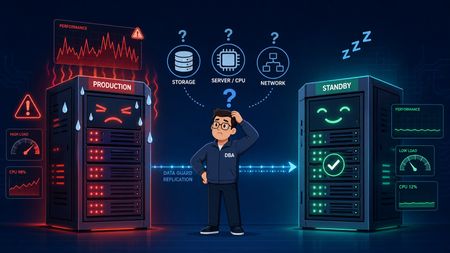
In earlier posts in The Art of Sizing, the focus was on what happens when Oracle systems create their own instability through design shortcuts that seem harmless at first. This post extends that same idea into Data Guard, where a standby database that looks like passive insurance can become part of the foreground performance problem when it is undersized or poorly observed. That is the trap with synchronous disaster recovery. The standby is not just sitting there waiting for a failover. In MAX AVAILABILITY or MAX PROTECTION with SYNC AFFIRM, the primary commit path is directly dependent on the standby receiving redo, writing it to the standby redo log, and acknowledging that write before user sessions are released. When that standby server is short on CPU, struggling on storage, or starved for memory, the latency does not stay isolated on the remote side. It propagates backward into production as log file sync pain, commit stalls, and application slowdown. Why this problem is easy to miss The diagnostic challenge is that the evidence is often sitting on the standby side, but a physical standby in Active Data Guard read-only mode does not behave like a normal local AWR source. Standard local AWR reporting is not enough, and if Remote Management Framework is not already configured, the team can be in the middle of an incident without the standby visibility they actually need. That is what makes this a sizing topic rather than just a monitoring topic. If the standby participates in the commit path, then its storage behavior, CPU headroom, and buffer pressure are part of the production design whether teams acknowledge that or not. How to expose standby performance in Oracle 19c In Oracle 19c, the practical answer is to enable RMF so the primary can collect standby performance snapshots remotely and store them safely in the primary SYSAUX tablespace. The configuration sequence below is the key setup step that makes standby AWR reporting usable during a real production event. -- 1. Enable Management Pack Access on both instances ALTER SYSTEM SET control_management_pack_access='DIAGNOSTIC+TUNING' SCOPE=BOTH; -- 2. Register Nodes and Establish Topology on Primary EXEC DBMS_UMF.configure_node('NODE_PRIMARY', 'PRIMARY'); EXEC DBMS_UMF.configure_node('NODE_STANDBY', 'STANDBY'); EXEC DBMS_UMF.create_topology('ADG_AWR_TOPOLOGY'); -- 3. Link Remote Topology and Enable AWR Service EXEC DBMS_UMF.register_node( 'ADG_AWR_TOPOLOGY', 'NODE_STANDBY', 'DB_LINK_TO_STANDBY', 'DB_LINK_TO_PRIMARY', 'AS_NODE', 'TRUE' ); EXEC DBMS_WORKLOAD_REPOSITORY.register_remote_database( node_name => 'NODE_STANDBY' ); Once the standby is registered, reports can be generated from the primary by running awrrpti.sql and selecting the standby DBID from the menu. What to watch for in a standby AWR report The most useful way to read a standby AWR during a production slowdown is to correlate primary symptoms with standby evidence. The issue usually presents itself as one of a few recognizable patterns. Primary production symptom Standby AWR red flag Likely meaning Spike in log file sync and high SYNC transport lag High log file parallel write on the standby, especially above roughly 5 to 10 ms The standby storage tier is underperforming and slowing standby redo log flushes. Primary LGWR stalls on LNS wait on send Standby host CPU utilization near 100 percent or a high load average The standby is CPU-starved and RFS processes are not acknowledging packets quickly enough. Commit stalls appear at particular hours High ASH on the standby from user reporting activity Heavy Active Data Guard reporting is taking CPU and buffer cache away from recovery work. Flush delays and transport buffer saturation High free buffer waits or checkpoint completed during MRP Buffer cache is too small or DBWR is saturated on the standby. The sizing lesson underneath the incident The bigger lesson is that standby design is not a secondary hardware conversation. In synchronous architectures, the primary database is only as fast as the weakest link in the standby path. That means a disaster recovery platform should not be treated as a low-priority landing zone built from slower storage, thinner CPU allocation, or loosely governed reporting workloads. If it participates in commit acknowledgment, it participates in production performance. The practical operating principles are straightforward: Keep the standby infrastructure performance-symmetric with production where synchronous protection is required. If Active Data Guard is used for reporting, govern those read workloads so they cannot starve RFS or MRP activity. Enable RMF-based standby AWR collection before there is a crisis, not during one. Final thought A standby database is supposed to be your safety net. But in synchronous Data Guard, a poorly sized or poorly monitored standby can become part of the outage story itself. That is the real point here: availability architecture is still performance architecture, and the standby is still part of the sizing equation. That is also why this topic belongs in The Art of Sizing series. Good sizing is not just about capacity. It is about understanding which components quietly sit inside the critical path, and making sure they are designed, monitored, and governed accordingly. Sources The Art of Sizing Data Guard and the Hidden Cost of Small Redo Decisions112Views0likes0CommentsClaude Code as Database SRE: Catching What Your Monitoring Never Will with Everpure Fusion MCP
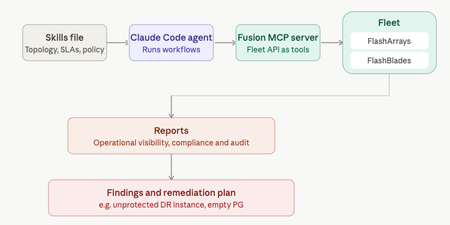
Your DR site might be quietly unprotected and no alert will tell you. That's the gap Anthony Nocentino, Principal Architect at Everpure, Microsoft Data Platform MVP, and self-described computer nerd set out to catch. He built a Database SRE agent using Claude Code and the Everpure Fusion MCP server to audit SQL Server fleets against compliance policy, uncovering a silently unprotected DR instance before disaster struck. Read the full report at "Using Claude Code as a Database SRE Agent with the Everpure Fusion MCP Server"36Views0likes0CommentsAnnouncing the Everpure Fusion™ Mastery Program
Looking for a practical way to build your Everpure Fusion™ expertise? We're excited to introduce the Everpure Fusion™ Mastery Program—a guided, self-paced program designed to help you get more value from Everpure Fusion while earning rewards along the way. Short learning activities are combined with hands-on technical tasks you can apply directly in your own environment. You'll build skills, gain confidence, and put Everpure Fusion to work in real-world scenarios. And the more of the program you complete, the more points you get to use on fun prizes. The program follows three stages: Activation Readiness Prepare your environment and successfully activate Everpure Fusion. Use & Optimization Apply Everpure Fusion to operational workflows, automation, and day-to-day management. Advocacy Share your expertise, contribute to the community, and help others on their journey to unified fleet management. Whether you're just getting started or already using Everpure Fusion, the program meets you where you are. Current users can even earn credit for work they've already completed while continuing to build deeper Everpure Fusion expertise. And because progress deserves recognition, you'll earn Everpure Fusion Points as you complete activities and milestones. Redeem your points for rewards while advancing your Fusion skills. Best of all, the program is designed for busy infrastructure teams. Activities are self-paced and manageable, allowing you to make progress whenever it fits your schedule. Build your skills. Put Everpure Fusion to work. Earn rewards. It’s really that simple. Ready to get started? Click here68Views0likes0CommentsGet rid of stressful infrastructure headaches. Everpure Fusion handles your data, autonomously.
It happens! It's 11:45 PM on a Friday. An alert fires and storage latency has spiked across a production workload. The operator digs in and traces it back to an automated tiering policy that quietly moved a hot dataset to a slower tier because it looked idle based on a 24-hour access window, right before a scheduled batch job that runs every weekend. Nobody changed anything. The policy did exactly what it was configured to do. But nobody remembers configuring it that way, the documentation hasn't been touched in two years, and the monitoring dashboard shows storage as "healthy" because utilization is fine. It's just in the wrong place. The operator overrides the tier, performance recovers, and spends the next hour writing an incident report for a problem that shouldn't exist. A system that was supposed to make life easier made a decision with no context, no warning, and no visibility into why. That's the anger that doesn't go away quickly. It's not just frustration at the incident. It's the feeling that the tools are working against you instead of with you. The core problem in that story was a system making decisions with no context, no warning, and no visibility. Everpure Fusion attacks each of those problems: Unified visibility across the entire fleet: Everpure Fusion provides a global dataset as a single source of truth for discovery, management, and configuration of storage arrays so the operator isn't piecing together what happened across multiple dashboards, multiple arrays, multiple tickets after the fact. They see the full picture in one place, before things go wrong. Intelligent workload placement: Rather than static policies quietly acting on stale access patterns, Everpure Fusion uses AI-guided placement to boost performance and efficiency for every workload. It understands workload behavior, not just utilization snapshots, the kind of context that would have caught a batch job pattern before tiering the dataset down. Policy-driven governance with real control: Automated orchestration cuts manual tasks and speeds service delivery, while unified controls simplify audits, reduce risk, and prove compliance fast. Policies are visible, documented, and governable. Not buried configs nobody remembers setting. Built into the platform, not bolted on: Evepure Fusion is now simply a part of Purity, meaning it is not an add-on you have to install or buy, but rather a core piece of the Purity operating system. The operator doesn't have to manage another tool. The intelligence is already there. The operator in that story didn't need more alerts. They needed a system that understood context, made decisions transparently, and gave them control without requiring them to be online at midnight to maintain it. That's exactly the gap Everpure Fusion is designed to close - with One Fleet, Zero Complexity. Why policy-driven storage operations matter Everpure Fusion is built as the core of Everpure intelligent control plane that manages all arrays including FlashArray, FlashBlade, and cloud as a unified fleet, with one topology, one API, and one operational framework regardless of protocol or local - datacenter, cloud or edge. That uniformity is what makes policy enforcement reliable at scale. Everpure Fusion introduces workload-based provisioning through presets, which are predefined policy-driven templates for specific workload types, encoding protection policies, replication, and SafeMode retention from the moment a workload is provisioned, not patched in after an incident. Admins no longer need to pre-plan and tune deployments manually, which reduces the risk of non-compliance and improves resiliency by ensuring workloads are provisioned correctly from the beginning. The result is infrastructure that enforces your intent, not just your last manual action. Intelligent placement, rebalancing, and fleet-scale capacity control If you manage storage at scale, you've probably seen this scenario play out more than once. One array is buried, running hot, and screaming for relief. Three aisles over, another array is sitting at 40% utilization, doing almost nothing. And somewhere in between, your team is scrambling to provision capacity, kick off an emergency migration, and explain to stakeholders why an SLA was missed on a workload that, in hindsight, never should have been placed there in the first place. This is not a people problem. It is a tooling problem. And it is remarkably common. Everpure Fusion starts solving this problem at the moment of provisioning. When a new workload lands, most storage systems do a simple capacity check and place it wherever space is available. Everpure Fusion does something fundamentally different. The placement engine evaluates every array in the fleet simultaneously, looking at IOPS headroom, throughput capacity, and physical utilization before making a decision. The goal is not just to find somewhere to put the workload. It is to find the right home for it, one where it can live comfortably for the long term without creating a bottleneck down the road. Think of it as placing workloads with intention rather than convenience. Of course, environments do not stay static. Workloads grow, usage patterns shift, and an array that looked healthy six months ago can become a problem today. Everpure Fusion accounts for this with continuous rebalancing built directly into its operation. When an array starts trending toward overload, Everpure Fusion detects it and begins orchestrating data movement across the fleet automatically. No manual intervention required. No application downtime. Data migrates in the background while workloads keep running, and arrays that were sitting underutilized suddenly become productive members of your infrastructure. At fleet scale, now supporting up to 64 arrays, this turns capacity management from a constant firefight into something that largely runs itself. What makes this possible without disruption is how Everpure Fusion executes the move under the hood. It leverages ActiveCluster to stretch the volume across both the source and target arrays simultaneously, creating a synchronous mirror in place. Once the stretch is established, volumes are connected on the target array and hosts auto-discover the new target paths through standard multipathing. The target then validates that path usage is healthy and confirmed before any cutover begins. Only after that validation is complete are the volumes disconnected from the source, ensuring there is zero gap in access at any point in the sequence. Everpure Fusion then unstretches from the source array to complete the rebalance and release its capacity. The result is a seamless, non-disruptive migration that the application never sees. What truly sets Everpure Fusion apart from a standard load balancer is what happens under the hood. Powered by Pure1 AI and up to 30 days of historical workload data, Everpure Fusion does not just look at what is happening right now. It looks at what is about to happen. Say you have a workload that runs a heavy batch job every Saturday night. Everpure Fusion knows that. It has seen the pattern. So when the placement engine is evaluating tier assignments, it will never recommend moving that workload to a lower-performance tier just because it looks quiet on a Tuesday afternoon. It understands what Tuesday quiet actually means in context. And if that workload somehow ends up on the wrong tier, perhaps through a manual change or a migration gone sideways, Everpure Fusion will proactively raise a violation before the weekend arrives. Not after the SLA is missed. Before. The cumulative effect is that customers can operate their fleets closer to full utilization without the anxiety that normally comes with it. Underused hardware gets activated, incremental purchases get deferred, and the reactive, always-behind-the-curve model of capacity management starts to look like a problem from a previous era. And Everpure Fusion does not stop at the infrastructure layer. Through its integration with Pure1 Application Intelligence, Everpure Fusion gains deeper visibility into the nature of the workloads themselves, not just how they behave, but what they actually are. That additional context means smarter decisions at every level, from initial placement to long-term tier management, grounded in a more complete picture of what your environment is really doing. Workload rebalance and mobility will be available towards the end of 2026. Compliance as part of the control plane Most storage compliance workflows follow the same pattern: an audit is announced, someone pulls reports from three different tools, cross-references configuration against a spreadsheet of expected settings, and spends two weeks proving that workloads are protected the way they're supposed to be. Then the audit ends and nothing changes until the next one. That model breaks at fleet scale. When you're managing dozens of arrays across multiple sites and protocols, manual audits don't just slow you down — they leave gaps that only get discovered at the worst possible time. Everpure Fusion Compliance is built into the control plane, not bolted on after provisioning. Because Everpure Fusion presets encode protection policies, replication requirements, SafeMode retention, and QoS settings at deployment time, Everpure Fusion always knows what every workload's intended configuration is. Drift detection is continuous — not periodic. When a workload deviates from its preset, Everpure Fusion instantly surfaces the violation — visible in the UI, queryable via API or CLI, and accessible to AI agents through an MCP server. Remediation can be triggered directly through the same interfaces, without pulling in a separate tool or writing a custom script. Fleet-wide compliance dashboards give storage admins a live view of posture across every array, with exportable audit-ready reports that don't require manual assembly. The shift is meaningful: compliance becomes a property of how the fleet operates, not a project that interrupts how the team works. Everpure Fusion Compliance will be available towards the end of 2026. From dashboards and scripts to natural-language fleet operations You know the drill. A latency spike hits production. You open three dashboards, run a handful of CLI queries, dig through alert logs, and piece together enough context to understand what happened — and by then, you've already spent 45 minutes on a problem that should have taken five. The issue isn't the tools. It's that the context your fleet holds is trapped across systems that don't talk to each other. Everpure Fusion MCP Server changes that. Built on the open Model Context Protocol standard, it connects any MCP-compatible AI assistant — Claude, ChatGPT, Copilot, or internal agents — directly to live Everpure Fusion fleet state. Arrays, workloads, capacity, performance metrics, alert history, configuration, and placement data are normalized into clean, structured JSON and made available to AI in real time, pulled directly from Everpure Fusion and Purity REST APIs. The result: instead of navigating dashboards and stitching together CLI output, you ask a question. "Which arrays are approaching capacity?" "What's driving latency on this workload?" "Which workloads are drifting from their preset?" Everpure Fusion MCP Server answers from live fleet context, not stale snapshots. This is the on-ramp to agentic storage operations. Everpure Fusion already enforces policy and placement across the fleet. Pure1 adds AI-driven analytics and recommendations on top. Together, they give infrastructure operators the foundation to move from reactive troubleshooting to intent-driven, increasingly autonomous fleet management. Using topology groups to encode real infrastructure boundaries If your Everpure Fusion fleet's topology model lives in a color-coded spreadsheet, three wikis, and the institutional memory of one senior admin who never takes vacation — this is for you. Everpure Fusion, built into Purity for FlashArray and FlashBlade, introduces Topology Groups: fleet-scoped objects that let you describe your arrays in the same language your architecture diagrams already use — regions, availability zones, datacenters, rows, racks. No more provisioning a Everpure Fusion workload and hoping it lands in the right building. A Everpure Fusion Topology Group is a hierarchical, tree-structured object. Groups nest up to 10 levels deep (global → us-east → az-us-east-1a → dc01 → row3 → rack12), each array belongs to exactly one parent, and cycles are rejected at write time. Critically, they encode placement semantics — not access control. RBAC stays in Pure1 Resource Groups; topology stays in Everpure Fusion topology. Once modeled, Everpure Fusion presets reference groups using <group>.arrays notation. Everpure Fusion intersects the preset's allowed arrays with the group's membership at placement time. If there's no overlap, Everpure Fusion provisioning fails fast with a clear error — not silently in the wrong zone. The Everpure Fusion CLI shorthand makes automation clean: purevol list --context az-us-east-1a.arrays Everpure Fusion membership changes propagate automatically across the fleet. You stop maintaining a second source of truth outside the control plane. Stop treating topology as tribal knowledge. With Everpure Fusion, make it a first-class part of the intelligent control plane. Extending the model to Kubernetes and virtualization Most infrastructure operators are managing two parallel storage worlds right now: traditional VMs and databases on one side, Kubernetes-based containerized workloads on the other. Separate toolchains. Separate provisioning workflows. Separate everything. Everpure Fusion changes that. Through the Portworx Fusion Controller, Everpure Fusion extends its policy and placement control plane directly into Kubernetes — without forcing developers to change their existing workflows. Everpure Fusion auto-discovers your FlashArray and FlashBlade fleet, then exposes Everpure Fusion presets as native Kubernetes StorageClasses. That means when a developer requests a persistent volume, Everpure Fusion's placement engine resolves it against your existing policy constraints — storage class, protection policy, topology group, replication requirements — the same way it does for any other Everpure Fusion workload. No separate control plane for modern environments. No array-by-array configuration for each cluster. New arrays added to the fleet are automatically discovered and configured, so the operational model stays consistent as infrastructure grows. For VMware environments, Everpure Fusion extends the same operational model through the Everpure Fusion vSphere plugin, connecting storage management directly into virtualization workflows instead of running it as a separate administrative domain. The result: one control plane, one set of policies, one placement engine — spanning VMs, containers, and databases across the fleet. That is fewer parallel stacks to operate, less configuration drift between environments, and a more scalable path to consistent storage operations across the full infrastructure stack. Everpure Fusion as the storage admin foundation for autonomous operations The through-line across everything covered in this blog is simple: Everpure Fusion gives infrastructure operators a unified, policy-driven control plane that enforces intent consistently — across provisioning, placement, compliance, topology, and now Kubernetes and virtualization. That foundation matters because autonomous storage operations do not start with AI. They start with structure. Topology groups encode where workloads belong. Presets encode how they should be configured. Everpure Fusion presets exposed as StorageClasses ensure Kubernetes environments follow the same rules as everything else. When that structure is in place, AI can recommend, optimize, and eventually act — because the context is already clean, trusted, and machine-readable. For storage admins, the shift is real: less time resolving incidents caused by placement decisions nobody remembers making, more time defining the intent that governs the fleet. Everpure Fusion is that foundation — built into Purity, not bolted on. Want to learn more about Everpure Fusion? Check out the following links to dive deeper: Join the Everpure Fusion Mastery Program to build expertise, complete hands-on activities and earn rewards. Sign up for a Fusion test drive to try it out on your own time. Check out more about Fusion product details. Watch our cool new Fusion demo videos. Read Everpure Fusion Datasheet117Views0likes0CommentsAccelerate 2026 - Part 2 - The Light Switch Test
Earlier, in Part 1, I wrote that the Everpure Accelerate 2026 opening keynote did not really feel like a storage keynote. My takeaway from day one was simple: Everyone wants your data. The bigger question is who owns the context. Day two answered a different question. If day one was about why the Enterprise Data Cloud matters, day two was about how customers are supposed to get there without turning it into another giant transformation project that sounds great on stage or in a boardroom and then dies somewhere between budget approval, staffing constraints, internal politics, and the next urgent outage. That is why the second keynote mattered. It was not trying to restart the vision. The vision had already been established. It was about turning that vision into something customers could actually use: a methodology, a blueprint, and a way to connect data architecture to risk reduction, efficiency, agility, modernization, and business outcomes. And then John Colgrove, Coz, did what Coz does. He simplified the whole thing. Not by making it smaller. By making it clearer. The phrase that stayed with me from his session was not a technical phrase. It was not Enterprise Data Cloud, Data Primacy, Fusion, data intelligence, or workload mobility, even though all of those ideas were underneath what he was saying. It was the light switch. Coz talked about walking into a room at home and turning on the light. You know exactly what is going to happen. It is simple. It is obvious. It works the way you expect it to work. Then he compared that to walking into a conference room at the office, where five people spend the first few minutes trying to figure out how to turn on the right lights, dim the screen area, wake up the display, connect the laptop, and make the audio work. Everyone has lived that moment. It is also a perfect way to explain what Everpure has been trying to do since the beginning. Make the complicated thing feel like the light switch. That may sound too simple for enterprise infrastructure, but I think it is exactly the point. The best infrastructure does not feel simple because the problem is simple. It feels simple because somebody did the hard engineering work to hide complexity without hiding control. That has always been part of the Everpure story. When Pure Storage first became known in the market, the message was not only flash performance. Performance mattered, of course. But the thing customers really felt was that the experience was different. The arrays were simpler. The upgrades were non-disruptive. The support model was different. Evergreen architecture was different. The idea that you could keep modernizing without the usual forklift pain was different. Over time, that simplicity moved from one array to more of the environment. Fusion extended the idea from a single system to a fleet. Policy, placement, automation, workload mobility, service levels, compliance, and lifecycle management started to move from device-by-device thinking toward something broader. Now, with the Enterprise Data Cloud, Everpure is trying to move that simplicity again. From array to fleet. From fleet to data. From data storage to data management. That was the thread both Nirav Sheth and Coz pulled through the keynote, and I think it connected day two back to day one in a very useful way. They made it clear that the move from Pure Storage to Everpure is not an abandonment of what got the company here. It is a continuation of the same journey. That matters because customers are rightfully skeptical when technology companies rebrand or expand their message. They wonder whether the company is moving away from the thing they trusted. They wonder whether the new story is strategy or just vocabulary. Coz addressed that directly. We are not abandoning storage infrastructure. We are going to keep building the best storage infrastructure we can. But we are also going higher, because to build better infrastructure, you have to understand more about the data above it. That is a founder’s version of the message. Less theater. More first principles. If you store data, you want to know what it is. You want to know how it will be accessed. You want to know how often. You want to know what it relates to. You want to know whether there are copies. You want to know whether those copies create risk. You want to know whether the rules are being followed. The problem, as Coz pointed out, is that nobody really knows the future. The infrastructure has to be built for agility. That word gets overused, but in this context it matters. Agility is the ability to change without breaking everything. It is the ability to move workloads non-disruptively. It is the ability to rebalance a fleet. It is the ability to modernize hardware without turning it into a migration event. It is the ability to adjust policies as risk changes. It is the ability to bring intelligence to data that already exists instead of forcing the business to start over. That is where the Enterprise Data Cloud story becomes more practical. And I personally think the Enterprise Data Cloud Success Blueprint was the clearest example of that. I liked this part because it moved the conversation away from “look at all these capabilities” and toward “here is why it matters to you” and “what outcomes are you trying to drive?” That is where a lot of technology conversations go wrong. We get excited about the architecture and forget that customers are not buying architecture for the sake of architecture. They are trying to solve business problems with limited people, limited time, limited budget, and increasing pressure from every direction. They are dealing with supply chain constraints. They are being asked to do more with the same team. They are trying to create VMware optionality without making a reckless move. They are modernizing applications while still running legacy workloads that cannot just disappear. They are dealing with cyber risk, ransomware, and minimum viable business recovery. They are being asked to support AI before the data foundation is ready. The blueprint framework organized those pressures into three simple categories: risk reduction, efficiency, and agility. That may seem obvious, but obvious is underrated. Risk reduction is not just a security feature. It is knowing whether your data is protected, whether your snapshot policies are aligned, whether you can recover the minimum viable business, whether sensitive data is duplicated everywhere, and whether compliance follows the data instead of living in someone’s spreadsheet. Efficiency is not just a density number. It is energy efficiency, automation, operational scale, fewer manual tasks, fewer migrations, and fewer people spending nights and weekends babysitting infrastructure that should be managing itself. Agility is not just modernization language. It is VMware optionality, container readiness, AI readiness, cloud flexibility, application mobility, and the freedom to make the next decision without being trapped by the last one. I think that is a much better way to have the conversation with customers. Not “Do you want this product?” But “Which business outcome are you trying to improve, and what is standing in the way?” The Red Hat and CSX discussion made that practical. When Eric Grabill from CSX talked about Positive Train Control, sensors along the tracks, safety requirements, and systems where a loss of data can affect train operations, the conversation moved from platform strategy into the real world. That is where infrastructure earns its keep. CSX has already moved a large portion of its applications to Kubernetes on OpenShift, but still has legacy VMs remaining. That is the real enterprise pattern. It is not containers or VMs. It is containers and VMs. It is cloud and on-premises. It is modern and legacy. It is AI coming next while everything else still has to run today. The Red Hat and Portworx conversation made the point that modernization cannot mean creating another disconnected stack. Customers need one operating model across VMs, containers, and eventually AI workloads. They need a practical transition path, not a big bang migration. They need data services that protect the applications, not just compute platforms that can host them. The St. Elizabeth Healthcare conversation made the same point in a more personal way. Charles Shepherd talked about joining St. Elizabeth in 1997, starting at the help desk, moving through Novell, GroupWise, backups, storage, and eventually becoming part of the team responsible for systems that support a healthcare environment that never really stops. What stayed with me was not only the technical story. It was the laptop on vacation. Anyone who has worked in infrastructure understands that detail. The laptop that comes with you just in case. The phone you keep checking because maybe something happened. The family event where part of your brain is still in the data center. The trip where you are physically present but operationally on standby. That is not a feature comparison. That is a life comparison. Charles said he recently was able to go to his niece’s graduation and not get called. That sounds small only if you have never been the person who always gets called. He also talked about more than one hundred hardware upgrades and more than one hundred fifty Purity upgrades without downtime. He talked about moving from older systems to modern ones without the traditional forklift migration pain. He talked about change boards becoming comfortable with upgrades during the day because the process had earned trust. That is the kind of customer proof that matters. It shows what the solution that was delivered gives back. It gives back time, trust and confidence. That connects directly to the light switch idea. Simplicity is not cosmetic. It is not just a better UI. It is not just fewer clicks. Simplicity changes what people can spend their time on. It changes what teams believe they can safely do. And it changes whether the infrastructure team is trapped maintaining the past or free to prepare for what comes next. Coz also said something important about time. This Enterprise Data Cloud journey is not a one-year story. It is not one product cycle. It is not done because it showed up in an Accelerate keynote. Coz described it as a journey that will take five to ten years, and even then, it will not really be done because the solution will keep improving. I appreciate that kind of honesty. So when a founder says this is a long journey, I believe that more than I believe a slide that says “seamless transformation” in large font. But I also think now is the right time for the journey to become possible. And Coz reminded us that the best version of this is not complexity with better branding. The best version is the light switch. Coz, in the most Coz way possible, reminded everyone that the goal is not to make enterprise infrastructure sound impressive. The goal is to make the hard things feel obvious. Like turning on the lights. I appreciate you reading. Dmitry Gorbatov © 2025 Dmitry Gorbatov | #dmitrywashere74Views0likes0CommentsAsk Us Everything Recap: Why Staying Current on Purity Has Never Been Easier
I had the distinct pleasure taking part in our ongoing Ask Us Everything webinar series with and where we got into the simplicity and approach to Purity upgrades. Here's a recap for those that didn't make it live!166Views0likes0CommentsStop Blaming Storage: The Invisible Cost of Excessive Log Switches In Oracle Databases
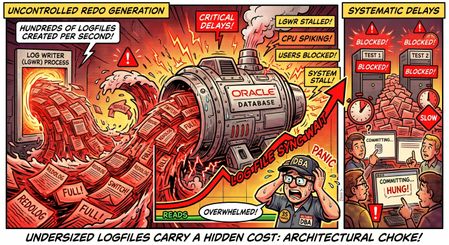
Real-World Telemetry Analysis: Test 1 vs. Test 2 To understand how severe write volumes impact database latency, let us evaluate two distinct test profiles running the exact same heavy transactional workload. These profiles highlight the staggering volume of log writer activity occurring under typical enterprise applications: Database Profile (Test 1): Sustaining an intensive write rate of 35,550,156.8 bytes per second (~33.90 MB/sec) of redo generation. Database Profile (Test 2): Sustaining an even higher write rate of 40,691,343.8 bytes per second (~38.81 MB/sec) of redo generation. A consistent generation rate of 34 MB/s to 39 MB/s is classified as a highly active, heavy write workload. If the underlying layout of the database's log files is structured using default or undersized parameters, this heavy transactional density forces a systemic collision point between logical software processing and physical disk checkpointing. Reverse-Engineering Your Log Sizes from Switch Activity Because physical redo log dimensions are structural layouts rather than configuration variables, they are not listed inside the Modified Parameters section of standard database diagnostic summaries (such as AWR reports). Instead, engineers must combine the sustained redo byte velocity with recorded switch intervals to uncover the current physical geometry using this model: S Log = (R sec × 3600) / N switch Where S Log represents the calculated current log size, R sec represents the redo byte velocity per second, and N switch represents the total number of log switches executed per hour. Modeled Redo Layout Dimensions Based on Active Workloads Log Switches Observed / Hour Test 1 Profile (33.90 MB/sec) Test 2 Profile (38.81 MB/sec) Engine State & Systemic Latency Impacts 30 Switches / Hour (Every 2 minutes) ~4,068 MB (4 GB) ~4,657 MB (4.5 GB) Continuous, aggressive database checkpointing. Disk queues are consistently saturated writing dirty blocks to datafiles. 60 Switches / Hour (Every 1 minute) ~2,034 MB (2 GB) ~2,328 MB (2.3 GB) Severe operational throttling. High threat of transaction processing freezes while the engine waits for space. 120 Switches / Hour (Every 30 seconds) ~1,017 MB (1 GB) ~1,164 MB (1.1 GB) Critical architectural failure point. Heavy occurrence of log file switch completion wait states. The Mechanics of a Log Switch Bottleneck Why does a high log switch count destroy performance? It is crucial to understand what the Oracle database engine is forced to do behind the scenes every single time a log group fills up: Forced Incremental Checkpointing: When a log switches, the database must advance its checkpoint. This forces the Database Writer processes (DBWn) to aggressively flush dirty data blocks from memory (the Buffer Cache) out to the permanent datafiles on disk to ensure crash-recovery safety. Control File Serialization: The database must update its control files to record the new log sequence architecture. This introduces internal metadata synchronization locks (enqueues) that can cause user sessions to stall. Archiver Contention: The Archiver background processes (ARCn) must instantly awake and begin reading the newly filled redo log to copy it to the archive destination. If the logs are small and switching every few seconds, the archivers cannot keep pace, completely locking the log writer (LGWR) out of the next group in the rotation. The accumulation of these three internal operations manifests directly as elevated log file sync and foreground wait latencies. To an outside observer, it looks like the storage array is failing to write fast enough, but in reality, the database engine is choking on its own structural layout. Sizing for the 20-Minute Target Window To neutralize this threat, we apply standard best-practice mathematics to size the log allocations cleanly for a conservative, stable 20-minute operational window under the observed workloads: Mathematical Formulation: Test 1 Architecture Sizing: 33.90 MB/sec × 60 seconds = 2,034 MB/minute. For a 20-minute window: 2,034 MB × 20 minutes = 40,680 MB (~40 GB per log group). Test 2 Architecture Sizing: 38.81 MB/sec × 60 seconds = 2,328.6 MB/minute. For a 20-minute window: 2,328.6 MB × 20 minutes = 46,572 MB (~46 GB per log group). Sizing Standard: To provide a safe, cushioned operational margin during unpredicted transaction spikes, configuring an allocation of 40 GB to 48 GB per log group across a minimum of 4 to 5 log groups will completely iron out the checkpointing waves and restore a smooth, predictable processing flow. DBA Command and Verification Track To audit your live database environment immediately, run the following administrative query to verify your current log configuration and status: SELECT GROUP#, THREAD#, SEQUENCE#, BYTES/1024/1024/1024 AS SIZE_GB, STATUS FROM V$LOG; If this output returns sizes sitting at outdated, legacy defaults (such as 1 GB or 2 GB) while under modern, high-velocity workloads, you have found your hidden bottleneck. Correcting the redo allocation path will immediately relieve the artificial pressure on your data layer. Quantifiable Database Performance Savings The most profound impact of implementing best-practice redo log sizing is the immediate reclamation of database processing capacity. Reclamation of Core Processing Time: Production environments can anticipate an immediate 15% to 20% savings in overall database processing time, particularly on nodes operating under synchronous replication frameworks. Elimination of Forced Wait States: Diagnostic telemetry shows the database spends up to 20.65% of its total operational life completely frozen within log file sync events. While a portion of this is network transit overhead, a significant contributor is the engine constantly stalling to handle back-to-back log switches occurring multiple times per minute. CPU Cycle Optimization: Transitioning to a stabilized footprint of 2 to 3 log switches per hour removes self-inflicted logical barriers, dropping the active wait-state percentages down and immediately returning vital CPU cycles back to active user transactions and application processing. Targeted Systems and Subsystem Benefits Correcting the redo allocation geometry triggers a positive cascade of efficiency across multiple independent layers of the database infrastructure ecosystem: A. Storage I/O Optimization (Flattening the Checkpoint Waves) Every time an individual redo log file reaches capacity and triggers a switch, Oracle mandates an aggressive incremental checkpoint. The Database Writer background processes (DBWn) are forced to violently halt standard operation to clear, prioritize, and flush "dirty" data blocks from the volatile Buffer Cache down to the permanent physical storage datafiles. The Strategic Benefit: Instead of a chaotic, cyclic pattern where disk I/O heavily spikes and crashes every 30 to 60 seconds, the underlying storage fabric encounters a flattened, smooth, and highly predictable write curve. Physical disk queue depths drop significantly, completely removing artificial array-level performance chokes. B. Elimination of Control File Enqueue Serialization To cleanly finalize a log switch, the database engine must gain exclusive metadata locks to write updated sequence architectures directly into the database control files. When a misconfigured environment forces this action hundreds of times an hour, user sessions become trapped in an internal serialization traffic jam. The Strategic Benefit: Scaling the logs ensures that control file metadata modification occurs only a few times per hour. This completely erases internal enqueue contention and prevents micro-stalls from propagating to foreground user processes. C. Mitigation of Archiver Process (ARCn) Contention Under high-velocity write workloads (~34 MB/s to 39 MB/s), undersized logs fill up substantially faster than the Archiver background processes (ARCn) can read and copy them to designated archive log destinations. If the archivers fall behind the pace of the log writer, the Log Writer (LGWR) will freeze all database processing because it is structurally prohibited from overwriting an unarchived log group. The Strategic Benefit: Deploying 40 GB to 48 GB log groups builds a wide, stable, 20-minute processing window. This provides the ARCn processes ample buffer space to quietly copy data streams in the background without ever creating a risk of blocking active application transactions. D. Stabilization of Application Response Uniformity From an end-user and application integration perspective, transaction latency becomes completely uniform and highly predictable. The Strategic Benefit: Currently, a user session may encounter an instantaneous transaction response, followed a moment later by a multi-second delay simply because their specific COMMIT command executed simultaneously with a log switch checkpoint. Eliminating constant switches ensures uniform, predictable, and sub-second transaction commit processing across the entire user base. Conclusion and Core Directive Undersized redo logs force high-performance solid-state storage arrays to absorb massive amounts of unnecessary operational punishment by demanding that files be opened, written, closed, checkpointed, and archived hundreds of times per hour. Increasing the log file size to align with a 20-minute target window does not merely alter a structural capacity metric; it fundamentally upgrades the internal execution efficiency of the core Oracle database engine. It systematically clears the log file sync bottleneck, cools down spiking CPU usage, and allows your enterprise data infrastructure to operate at its true peak potential.57Views0likes0Comments