Everpure Cloud: Building an Efficient Storage Platform in Microsoft Azure
September 17 | Register Now More organizations are migrating VMs and containerized apps into Azure and hitting a wall: native cloud storage wasn't built to provide the enterprise data services they rely on. Teams are lifting workloads into the cloud only to discover unpredictable costs, the inability to manage their storage from a unified platform, and data protection gaps. Join us to learn how to easily scale demanding, storage-heavy workloads without sacrificing data requirements or budget. With the right storage platform as your foundation, your hybrid cloud environment can deliver flexibility, cost savings, and operational simplicity. Key takeaways: Versatile workload support: Seamlessly run and manage mixed enterprise workloads on Everpure Cloud without compromising performance or flexibility. Streamlined Azure integration: Rapidly provision and scale Everpure Cloud using familiar, standard Azure-native tools and workflows. Unified management and security: Simplify data management across cloud and on-premises environments with consistent controls, governance, and built-in data protection. Optimized storage TCO: Significantly reduce overall enterprise storage costs through efficient resource utilization. Register Now!300Views0likes0CommentsFrom CSI to Snapshots: Seamless VM Management on Red Hat OpenShift
September 22 | Register Now Red Hat OpenShift Virtualization is an increasingly popular option for organizations migrating workloads (often from VMware) to a new hypervisor. Rather than being an afterthought, storage is actually a critical element of any OpenShift Virtualization deployment. Join this webinar for a set of short demos of Everpure FlashArray™ with Red Hat OpenShift. We'll go from the ground up: connecting the Container Storage Interface (CSI) to storage, spinning up a virtual machine (VM) from a template, and protecting the VM with instant, array-based snapshots. These demos will show how naturally FlashArray fits into an OpenShift environment. Get connected: See how to set up the CSI with the Portworx® operator and define both the StorageCluster and the StorageClass. Run and protect: We’ll demonstrate both VM provisioning in OpenShift Virtualization plus how to create instant, space-efficient snapshots. Register Now!289Views0likes0CommentsPOSTPONED: Accelerate Watch Party #1: Virtualization — Mastering VCF 9: Unified Management + Everpure (Aug 26)
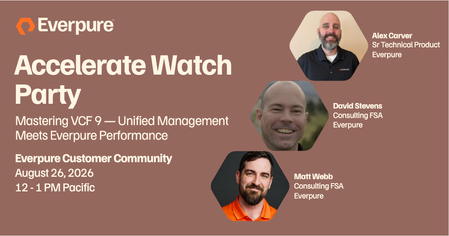
Missed this session from Accelerate in Vegas? Or want to relive the highlights up close and personal with our speakers? Join us virtually to watch the replay together and get your questions answered live! For our first Accelerate Watch Party, we're featuring "Virtualization — Mastering VCF 9: Unified Management + Everpure" with featured speakers Matt Webb, David Stevens, and Alex Carver. Whether you're looking to see this session for the first time or tuning in as a refresher, this is your chance to learn directly from the experts, network with peers and get real-time answers. ✏️ THE DETAILS: Date: Wednesday, August 26 New date coming soon! Time: 12:00 PM Pacific Time Registration: https://purestorage.zoom.us/webinar/register/WN_ZnPJAtMJRleBCknpQj-q_Q Pro-tips: 🗓️ Create a calendar invite with all the details already filled out, so you don't miss a beat! ❓Drop any questions you have early in the comments below or ask them live right in the chat during the session! We can't wait to see you all there! If you're planning on attending, make sure to drop a 🔥 in the comments below!144Views1like0CommentsFlashArray Meets Nutanix, Independently Scale Compute and Storage
September 24 | Register Now Traditional hyperconverged infrastructure ties compute and storage together, forcing you to add nodes you don't need just to gain capacity. This webinar shows infrastructure and storage admins how pairing Everpure FlashArray with the Nutanix Cloud Platform over NVMe/TCP breaks that dependency, delivering external, high-performance block storage to Acropolis Hypervisor (AHV) clusters. You'll walk through the reference architecture in detail, including how the two platforms connect and how data services like VM-level snapshots, replication, and SafeMode ransomware protection layer beneath your Nutanix workloads. The result is an architecture you can scale on your terms, expanding compute and storage independently while maintaining the enterprise data services and non-disruptive operations your workloads depend on. Key takeaways: How FlashArray connects to Nutanix AHV over NVMe/TCP, and what the end-to-end reference architecture looks like in practice Why disaggregating compute and storage eliminates node overprovisioning and lowers TCO without sacrificing performance How to extend enterprise data services — snapshots, replication, and ransomware-resistant immutable snapshots — beneath your Nutanix workloads What non-disruptive upgrades and independent scaling mean for day-2 operations and long-term capacity planning Register Now293Views0likes0Comments
Countdown to VMware Explore 2026
Just about three weeks until VMware Explore 2026 kicks off in Las Vegas (Aug. 31 - Sept. 3). Everpure will be there with our VMware experts on hand to help answer your questions, bounce ideas off, learn what's coming next and more. Everpure is deeply committed to continuing joint development on VMware and continuing to enhance our industry leading VMware support and features. If you want to ensure you get some quality time with Everpure, please visit the event landing page where you can sign up for a meeting. We'll see you there! Sessions Everpure has two sessions at Explore. Sign up today! Monday, August 31, 10:30am Zero RPO and RTO, Full Speed: ActiveCluster with NVMe-oF on VCF Speaker: Alex Carver, Senior Technical Product Specialist Location: The Hub Theater Your most demanding VMware vSphere workloads no longer have to choose between NVMe performance and zero-RPO protection. Learn how Everpure combines ActiveCluster with NVMe-oF in VMware Cloud Foundation 9.1 to deliver synchronous replication for mission-critical workloads across NVMe/TCP and NVMe/Fibre Channel. Tuesday, September 1, 11:30am Anywhere VCF Runs, Your Data Follows: Hybrid Mobility with Everpure Speaker: Alex Carver, Senior Technical Product Specialist What if your move from VMware vSphere 8 to VMware Cloud Foundation 9 didn't lock you into one path, one platform, or one cloud? See how Everpure enables consistent data services, bidirectional workload mobility, and resilient hybrid VCF architectures across on-premise and cloud environments.128Views0likes0CommentsNavigating Strategy Shift: Lessons from Virtualization’s "Three Waves"
The enterprise virtualization landscape has evolved through distinct shifts over the years, making long-term infrastructure planning a top priority for IT leaders. In an insightful article on the Everpure Blog, Matt Webb breaks down the Three Waves of competitive and market pressure that have shaped modern virtualization—from early hypervisor competition and the rise of public cloud to recent shifting licensing models. Key takeaways for managing long-term virtualization costs and operations: Infrastructure Change Takes Time: While application development moves rapidly, core infrastructure shifts are deliberate and require extensive lead time. Early planning, often 12 months or more ahead of renewals, is essential. A Refracted Market: There is no single "successor" path. Depending on business goals, organizations are choosing between remaining on their current stack, shifting to the public cloud, adopting alternative hypervisors, or modernizing workloads with containerized virtualization (e.g., KubeVirt). Control the Fundamentals: Unpredictability in software licensing makes optimizing the underlying storage and physical infrastructure one of the most reliable ways to control total cost of ownership (TCO). Whether you're actively evaluating new platforms or optimizing your existing stack, this piece offers a valuable framework for thinking through long-term infrastructure strategy. 📖 Read the full article: Virtualization's Three Waves: Where Do We Go from Here?39Views1like0CommentsWhat’s New in Virtualization: From Hypervisors to Kubernetes
July 16 | Register Now! Modern virtualization is evolving and organizations are now managing a growing mix of hypervisors, container platforms, and cloud environments. Join the session for a deep dive into how Everpure integrates with several virtualization platforms. We’ll cover VMware Cloud Foundation 9.1, the new Nutanix partnership, OpenShift Virtualization, Proxmox, and Azure Local updates. Discover how the Everpure 2026 roadmap delivers the flexibility and performance needed for any hypervisor or container strategy. See what’s new, what’s amazing, and what’s next in the future of modern data storage. Latest integrations: Updates on VCF 9.1, Proxmox, and Azure Local Modern platforms: The new Nutanix partnership and OpenShift Virtualization What’s next: A sneak peek at the Everpure 2026 roadmap Register Now!158Views0likes0Comments
The Containers Must Flow: Extending Kubernetes Principles to Your Data
July 7 | Register Now! Kubernetes (K8s) sits at the center of the known universe, steering the massive shift from legacy systems to next-generation applications and modern virtualization. In this vast desert of infrastructure, one truth remains absolute: they who control the data layer control the universe. For July 2026, your Kwisatz Haderach of hosts, Andrew Miller, invites mentat James McShane to explore these tectonic shifts—and why Portworx® is even more vital today than 5+ years ago when acquired by Everpure, formerly Pure Storage®, to be the ultimate k8s data layer. Here’s what we'll traverse on our journey: The path of the mentat James: From large-scale virtualization to massive K8s clusters, and even piloting K8s on autonomous drones (the ultimate hunter-seekers). The weirding way of modern tech: the explosion of new K8s developments with a focus on KubeVirt and how it’s reshaping modern virtualization trends. The litany against data loss: Core storage needs in K8s environments, the foundational Portworx design principles built to survive them, and why they matter when the sandworms of downtime strike. The voice of Portworx: New capabilities designed to conquer KubeVirt/VMware migrations, establish unified control planes, and shift your focus from rigid mechanics to pure intent (Imperative vs. Declarative)--dare we say, bending the infrastructure to your will. Register Now!146Views0likes0Comments