Pure's Intelligent Control Plane: Powered by AI Copilot, MCP Connectivity and Workflow Orchestration
At Accelerate 2025, we announced two capabilities that change how you manage Pure Storage in your broader infrastructure: AI Copilot with Model Context Protocol (MCP) and Workflow Orchestration with production-ready templates. Here's what they do and why they matter. AI Copilot with MCP: Your Infrastructure, One Conversation The Problem Your infrastructure spans multiple platforms. Pure Storage managing your data, VMware running VMs, OpenShift handling containers, security tools monitoring threats, application platforms tracking performance - each with its own console, APIs, and workflows. When you need to migrate a VM or respond to a security incident, you're manually pulling information from each system, correlating it yourself, then executing actions across platforms. You become the integration layer. The Solution Pure1 now supports Model Context Protocol (MCP), taking Copilot from a suggestive assistant to an active operator. With MCP enabled, Copilot doesn’t just recommend - it acts. It serves as a secure bridge between natural language and your infrastructure, capable of fetching data, executing APIs, and orchestrating workflows across diverse systems. Here’s what makes this powerful: You deploy MCP servers within your environment—one for VMware, another for OpenShift, and others for the systems you use. Each server exposes your environment’s capabilities through a standard, interoperable protocol. Pure Storage AI Copilot connects seamlessly to these MCP servers, as well as to Pure services such as Data Intelligence, Workflow Orchestration, and Portworx Monitoring, enabling unified and secure automation across your hybrid ecosystem. What You Can Connect You can deploy an MCP server on any system whether it’s your VMware environment, Kubernetes clusters, security platforms like CrowdStrike, databases, monitoring tools, or custom applications. Pure Storage AI Copilot connects to these servers under your control, securely combining their data with Pure Storage services to deliver richer insights and automation. Getting Started: If you have a use-case around MCP, please contact your Pure Storage account team. Workflow Orchestration: Deploy in Minutes, Not Months The Problem Building production-grade automation takes months. You need error handling, integration with multiple systems, testing for edge cases, documentation, ongoing maintenance. Most teams end up with half-finished scripts that only one person understands. The Solution We built workflow templates for common operations, tested them at scale, and made them available in Pure1. Install them, customize to your needs, and run them in minutes. Key Templates VMware to OpenShift Migration with Portworx Handles complete migration: extracts VM metadata, identifies backing Pure volumes, checks OpenShift capacity, configures vVols Datastore and DirectAccess, uses array-based replication, converts to Portworx format. Traditional migration takes hours for TB-scale VMs. This takes 20 to 30 minutes. SQL / Oracle Database Clone and Copy Automates cloning and copying of SQL Server and Oracle databases for dev/test or refresh needs. Instantly creates storage-efficient clones from snapshots, mounts them to target environments, and applies Pure-optimized settings. The hours-long manual process becomes a quick, consistent workflow completed in minutes Daily Fleet Health Check Scans all arrays for capacity trends, performance issues, protection gaps, hardware health.Posts summary to Slack. Proactive visibility without manually checking each array. Rubrik Threat Detection Response When Rubrik detects a threat, automatically tags affected Pure volumes, creates isolated immutable snapshots, and notifies the security team. Security events propagate to your storage layer automatically. How It Works Workflow Orchestration is a SaaS feature in Pure1. Deploy lightweight agents (Windows, Linux, or Docker) in your data center to execute workflows locally. Group agents together for high availability and governance controls. Integrations Native Pure Storage: Pure1 Connector for full API access, Fusion Connector for storage provisioning (works for Fusion and non-Fusion FlashArray/FlashBlade customers) Third-Party: ServiceNow, Slack, Google, Microsoft,CrowdStrike, HTTP/Webhooks, Pagerduty, Salesforce and more. The connector library continues expanding. Getting Started: Opt-in now in Pure1 - Workflow. Introductory offer available at this time. Check with your Pure account team if you have questions. How They Work Together At Accelerate 2025 in New York, we showcased this capability in action. Here's the scenario: an organization wants to migrate VMs to Kubernetes. Action-enabled Copilot orchestrates communication with Pure Storage appliances and services as well as third-party MCP servers to collect the required information for addressing a problem across a heterogeneous environment. With Pure1 MCP, AI Copilot, and Workflows, there's now a programmatic way to collect information from OpenShift MCP, VMware MCP, and Pure1 storage insights- then recommend an approach on what VMs to migrate based on your selection criteria. You prompt Copilot: "How can I move my VMs to OpenShift in an efficient way?" Copilot communicates across: Your VMware MCP server - to get VM specifications, current configurations, resource usage Your OpenShift MCP server - to check available cluster capacity, validate compatibility Portworx monitoring - to understand current storage performance Copilot reasons across all this information, identifies ideal VM candidates based on your criteria, and recommends the migration approach- which VMs to move, target configurations, and how to preserve policies. Then it can trigger the migration workflow, keeping you updated throughout the process. Why This Matters Storage Admins: Stop being the bottleneck. Enable self-service while maintaining governance. DevOps Teams: Deploy production-tested automation without writing code. Security Teams: Build automated response workflows spanning detection, isolation, and recovery. Infrastructure Leaders: Reduce operational overhead. Teams focus on strategy, not repetitive tasks. Get Started MCP Integration:If you have a use-case around MCP, please contact your Pure Storage account team.. Workflow Orchestration:Opt-in at Pure1 → Workflows. Learn More: Documentation in Pure1 or contact your Pure Storage account team. Pure1 evolved from a monitoring platform to an Intelligent Control Plane. AI Copilot reasons across your infrastructure. Workflow Orchestration executes. Together, they change how you manage data with Pure Storage.1.1KViews2likes0CommentsPure Certifications
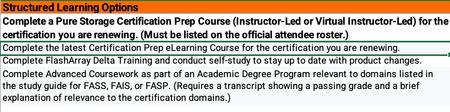
Hey gang, If any of you currently hold a Flash Array certification there is an alternative to retaking the test to renew your cert. The Continuing Pure Education (CPE) program takes into account learning activities and community engagement and contribution hours to renew your FA certification. I just successfully renewed my Flash Array Storage Professional cert by tracking my activities. Below are the details I received from Pure. Customers can earn 1 CPE credit per hour of session attendance at Accelerate, for a maximum of 10 CPEs total (i.e., up to 10 hours of sessions). Sessions must be attended live. I would go ahead and add all the sessions you attended at Accelerate to the CPE_Submission form. Associate-level certifications will auto-renew as long as there is at least one active higher-level certification (e.g., Data Storage Associate will auto-renew anytime a Professional-level cert is renewed). All certifications other than the Data Storage Associate should be renewed separately. At this time, the CPE program only applies to FlashArray-based exams. Non- FA exams may be renewed by retaking the respective test every three years. You should be able to get the CPE submission form from your account team. Once complete email your recertification Log to [email protected] for formal processing.1KViews4likes1Comment
Having issues with Long HBA rescan times
Having issues with Long HBA rescan times. Any point in the right direction is appreciated. We already have a high priority ticket in but this coummunity has been helpful more than once! Vsphere 7.0.3.00600, Cisco UCS, Cisco MDS 9132 switches, Pure X90R3 Arrays.999Views0likes9CommentsDon’t Wait, Innovate: Long‑Life Release 6.9.0 Is Your Gateway to Continuous Innovation
How Pure Releases Work (and Why You Should Care) Pure Storage doesn’t make you choose between stability and innovation: Feature Releases arrive monthly and are supported for 9 months. They’re production‑ready and ideal if you like to live on the cutting edge. Long‑Life Releases (LLRs) bundle those feature releases into a thoroughly tested version which is supported for three years. LLR 6.9.0 is essentially all the innovation of those Feature releases, rolled into one update. This dual approach means you can adopt new features as soon as they’re ready or wait for the next stable release—either way, you keep moving forward. Not sure what features you’re missing? Not a problem as we have a tool for that. A coworker reminded me: Pure1’s AI Copilot can tell you exactly what you’ve been missing. Here’s how easy it is to find out: Log into Pure1, click on the AI Copilot tab, and type your question. My coworker reminded me of this last week, so I tried: “Please provide all features for FlashArray since version 6.4 of Purity OS.” Copilot returned a detailed rundown of new capabilities across each release. In just a couple of minutes, I saw everything I’d overlooked—no digging through release notes or calling support required. A Taste of What You’ve Been Missing Here’s a snapshot of the goodies you may have missed across the last few year releases: Platform enhancements: FlashArray//E platform (6.6.0) extends Pure’s simplicity to tier‑3 workloads. Gen 2 chassis support (6.8.0) delivers more performance and density with better efficiency. 150 TB DirectFlash modules (6.8.2) boost capacity without compromising speed. File services advancements: FlashArray File (GA in 6.8.2) lets you manage block and file workloads from the same array. SMB Continuous Availability shares (6.8.6) keep file services online through failures. Multi‑server/domain support (6.8.7) scales file services across larger environments. Security and protection: Enhanced SafeMode protection (6.4.3) quadruples local snapshot capacity and adds hardware tokens for instant data locking which is vital in a ransomware era. Over‑the‑wire encryption (6.6.7) secures asynchronous replication. Pure Fusion: We can't talk about this enough Think of this as fleet intelligence. Fusion applies your policies across every array and optimizes placement automatically, cutting operational overhead . Purity OS: It’s Not Just Firmware Every Purity OS update adds value to your existing hardware. Recent improvements include support for new NAND sources, “titanium” efficiency power supplies, and advanced diagnostics. These aren’t minor tweaks; they’re part of Pure’s Evergreen promise that your hardware investment keeps getting better over time. Why Waiting Doesn’t Pay Off It’s tempting to delay updates, but with Pure, waiting often means you’re missing out on: Security upgrades that counter new threats. Performance gains like NVMe/TCP support and ActiveCluster improvements. Operational efficiencies such as open metrics and better diagnostics. Future‑proofing features that prepare you for upcoming innovations. Your Roadmap to Capture These Benefits Assess your current state: Use AI Copilot to see exactly what you’d gain by moving to LLR 6.9.0. Plan your update: Pure’s non‑disruptive upgrades let you modernize without downtime. Explore new features: Dive into Fusion, enhanced file services, and expanded security capabilities. Connect with the community: Share experiences with other users to accelerate your learning curve. The Bottom Line Pure’s Evergreen model means your hardware doesn’t just retain value it continues to gain it. Long‑Life Release 6.9.0 is a gateway to innovation. In a world where data is your competitive edge, standing still is equivalent to moving backward. Ready to see what you’ve been missing? Log into Pure1, fire up Copilot, and let it show you the difference between where you are and where you could be.800Views4likes0Comments
Ask Us Everything Recap: Making Purity Upgrades Simple
At our recent Ask Us Everything session, we put a spotlight on something every storage admin has an opinion about: software upgrades. Traditionally, storage upgrades have been dreaded — late nights, service windows, and the fear of downtime. But as attendees quickly learned, Pure Storage Purity upgrades are designed to be a very different experience. Our panel of Pure Storage experts included our host Don Poorman, Technical Evangelist, and special guests Sean Kennedy and Rob Quast, Principal Technologists. Here are the questions that sparked the most conversation, and the insights our panel shared. “Are Purity upgrades really non-disruptive?” This one came up right away, and for good reason. Many admins have scars from upgrade events at other vendors. Pure experts emphasized that non-disruptive upgrades (NDUs) are the default. With thousands performed in the field — even for mission-critical applications — upgrades run safely in the background. Customers don’t need to schedule middle-of-the-night windows just to stay current. “Do I need to wait for a major release?” Attendees wanted to know how often they should upgrade, and whether “dot-zero” releases are safe. The advice: don’t wait too long. With Pure’s long-life releases (like Purity 6.9), you can stay current without chasing every new feature release. And because Purity upgrades are included in your Evergreen subscription, you’re not paying extra to get value — you just need to install the latest version. Session attendees found this slide helpful, illustrating the different kinds of Purity releases. “How do self-service upgrades work?” Admins were curious about how much they can do themselves versus involving Pure Storage support. The good news: self-service upgrades are straightforward through Pure1, but you’re never on your own. Pure Technical Services knows that you're running an upgrade, and if an issue arises you’re automatically moved to the front of the queue. If you want a co-pilot, then of course Pure Storage support can walk you through it live. Either way, the process is fast, repeatable, and built for confidence. Upgrading your Purity version has never been easier, now that Self Service Upgrades lets you modernize on your schedule. “Why should I upgrade regularly?” This is where the conversation shifted from fear to excitement. Staying current doesn’t just keep systems secure — it unlocks new capabilities like: Pure Fusion™: a unified, fleet-wide control plane for storage. FlashArray™ Files: modern file services, delivered from the same trusted platform. Ongoing performance, security, and automation enhancements that come with every release. One attendee summed it up perfectly: “Upgrading isn’t about fixing problems — it’s about getting new toys.” The Takeaway The biggest lesson from this session? Purity upgrades aren’t something to fear — they’re something to look forward to. They’re included with your Evergreen subscription, they don’t disrupt your environment, and they unlock powerful features that make storage easier to manage. So if you’ve been putting off your next upgrade, take a fresh look. Chances are, Fusion, Files, or another feature you’ve been waiting for is already there — you just need to turn it on. 👉 Want to keep the conversation going? Join the discussion in the Pure Community and share your own upgrade tips and stories. Be sure to join our next Ask Us Everything session, and catch up with past sessions here!600Views3likes2CommentsGetting started with FlashArray File Multi-Server
Previous blog post FlashArray File Multi-Server was a feature overview from the perspective of a system, which already has that setup. Let's look at the same feature from a viewpoint of a storage admin, who needs to start using it. For purpose of this blogpost, I'll be starting with an empty test-array. Please let me know if there is a demand for similar post focused on brown field use-case. Setting up a data to share Let's create a filesystem and a managed directory # purefs create myfs Name Created myfs 2025-06-27 06:30:53 MDT # puredir create myfs:mydir --path dir Name Path File System Created myfs:mydir /dir myfs 2025-06-27 06:31:27 MDT So far nothing new.. Setting up a server To create a server on FlashArray, Local Directory Service needs to be either created during Server creation or reference to existing one needs to be provided. What's Local Directory Service? It's a container for Local Users and Local Groups. It's a new container, which helps to manage users for different servers. # pureds local ds create mylds --domain domain.my Name Domain mylds domain.my Nothing prevents us now to create a actual Server object. # pureserver create myserver --local-ds mylds Name Dns Directory Services Local Directory Service Created myserver management - mylds 2025-06-27 06:41:49 MDT (Another option would be to use "built in" server, which is guaranteed to be there - "_array_server". That would also be a server, which contains all the exports which were created before migration to Multi-Server enabled release. As stated before, this post is focusing on a green field scenario, thus creating a new server object.) Setting up an export The server can now be used when creating export # puredir export create --dir myfs:mydir --policy smb-simple --server myserver --export-name myexport Name Export Name Server Directory Path Policy Type Enabled myserver::smb::myexport myexport myserver myfs:mydir /dir smb-simple smb True One configuration object wasn't created as part of this blog post - policy "smb-simple". That's a pre-created policy, which (unless modified) only sets the protocol to "SMB" and accepts all clients. The name of the export has been set to "myexport", meaning that this is the string to be used by the client while mounting. The address of this export will be "${hostname}/myexport". Setting up networking This is a bit tough to follow, since networking pretty much depends on the local network setup and won't be reproducible in your environment, but let's see what needs to be done in the lab setup, hopefully it would be similar to what needs to be done in simple "test" scenario any reader could be doing. Let's create and enable a simplest File VIF possible # purenetwork eth create vif vif1 --address 192.168.1.100/24 --subinterfacelist ct0.eth2 --serverlist myserver Name Enabled Type Subnet Address Mask Gateway MTU MAC Speed Services Subinterfaces Servers vif1 False vif 192.168.1.100 255.255.255.0 - 8950 22:39:87:5e:f4:79 10.00 Gb/s file eth2 myserver # purenetwork eth enable vif1 Name Enabled Type Subnet Address Mask Gateway MTU MAC Speed Services Subinterfaces Servers vif1 True vif - 192.168.1.100 255.255.255.0 - 8950 22:39:87:5e:f4:79 10.00 Gb/s file eth2 myserver That should do it. Setting up Directory Services Server on FlashArray always has Local Directory Service and additionally it can be configured either to verify users against LDAP or Active Directory. LDAP configuration would be set up as # pureds create myds ... # pureserver setattr --ds myds myserver Or we can opt-in to join the Active Directory # puread account create myserver::ad-myserver --domain some.domain --computer-name myserver-computer-name But we don't have to! Let's make this very simple and use the Local Directory Service which has been created before - it's already user by our Server, so the only thing left is to create a user (and let's join Administrators group.. because we can) # pureds local user create pure --primary-group Administrators --password --local-ds mylds Enter password: Retype password: Name Local Directory Service Built In Enabled Primary Group Uid pure mylds False True Administrators 1000 Now, we should have everything set up for client to mount exposed share. Mounting an export (on linux) Let's use a linux client, since it will fit nicely to the rest of the operations and command line examples we have so far. At this point, the share can be easily mounted on any Windows box as well and also all the configuration made on the command line can be easily done on the GUI. client # mount -v -t cifs -o 'user=pure,domain=domain.my,pass=pure,vers=3.02' //192.168.1.100/myexport /mnt client # mount | grep mnt //192.168.1.100/myexport on /mnt type cifs (rw,relatime,vers=3.02,sec=ntlmssp,cache=strict,username=pure,domain=domain.my,uid=0,noforceuid,gid=0,noforcegid,addr=192.168.1.100,file_mode=0755,dir_mode=0755,nounix,serverino,mapposix,rsize=1048576,wsize=1048576,echo_interval=60,actimeo=1) And now, the "/mnt" directory on the client machine represents the Managed Directory "myfs:mydir" created before and can be used up to the permissions the user "pure" has. (And since this user is a member of Administrators group, it can do anything). Conclusion This post shows how to set-up File Export on FlashArray with using Servers. We can use the same Flash Array to create another server and export same or different managed directory, while using another Network interfaces or Directory Services.600Views1like0Comments
I have started the process to migrate between arrays
I have started the process to migrate between arrays - I'm using ActiveCluster (again - it kicks hiney!) and have set the PreferredArray for a batch of volumes (just before I cut them over) I moved over. I have another batch of volumes that I will migrate in the next week. Both arrays are in the same DC, a rack apart. As I read the documentation I think it won't be an issue to leave that set - it only comes into play with ActiveCluster; and then only when the volume is online on both arrays. Am I correct thinking that I should I blank it out?Solved599Views0likes3Comments